
Anúncios
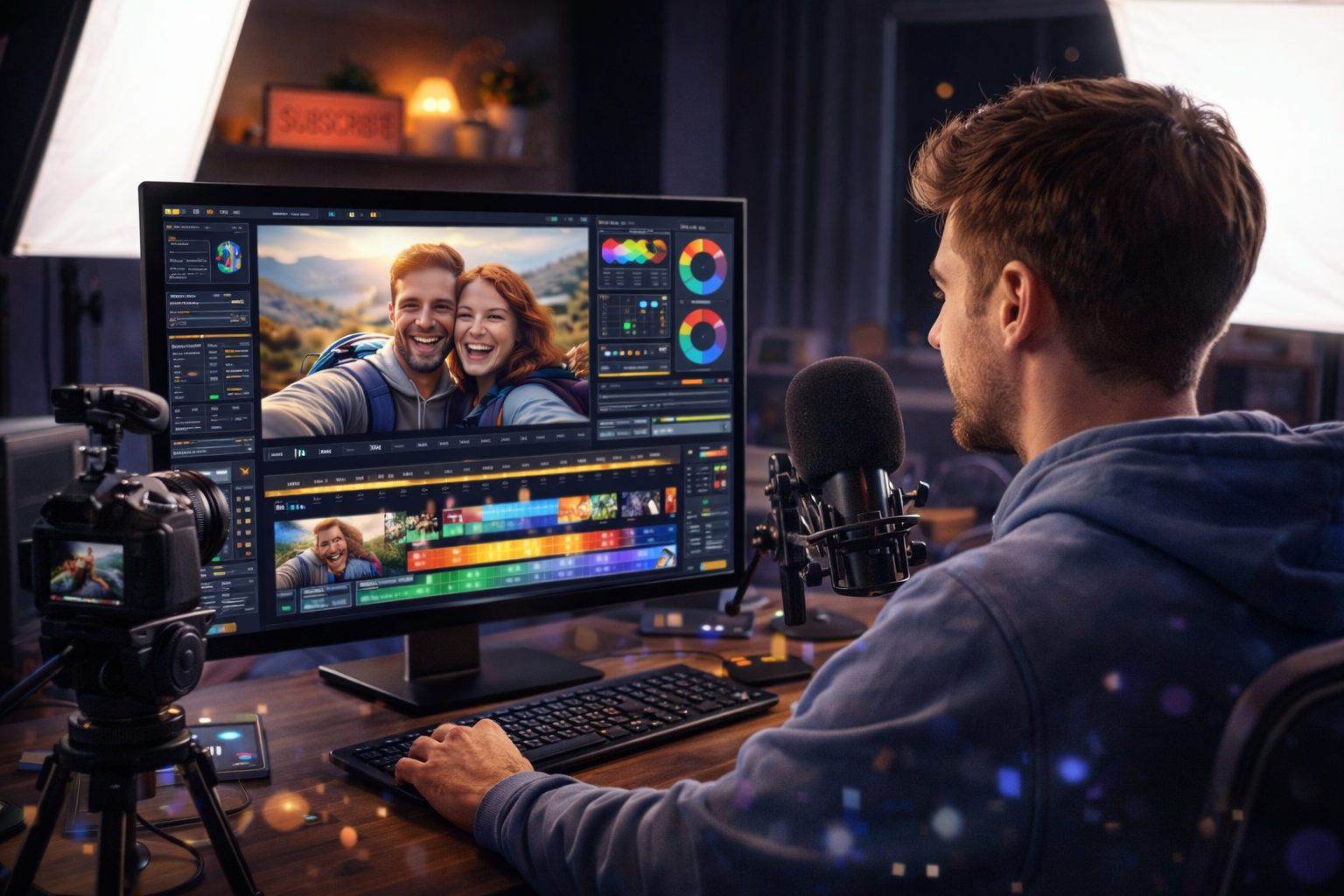
Video editing is no longer exclusive to professionals with expensive equipment. Today, you can create stunning videos right from your home with the right tools and a bit of creativity. 🎬


The digital revolution has democratized content creation, making high-quality video editing accessible to everyone. Whether you’re a social media enthusiast, a small business owner, or someone looking to explore their creative side, modern video editors offer professional-grade features without the professional price tag.
From trimming clips and adding transitions to color grading and special effects, today’s video editing software brings Hollywood-level capabilities to your fingertips. Let’s explore the best video editors that can transform your raw footage into polished, professional content that stands out in today’s competitive digital landscape.
🎥 Why Home Video Editing Has Become Essential
The demand for video content has skyrocketed across all platforms. Social media algorithms favor video posts, businesses need promotional content, and creators require engaging material to grow their audiences. Professional editing services can cost hundreds or thousands of dollars per project, making them impractical for regular content creation.
Home video editing solves this challenge by putting powerful tools directly in your hands. Modern software has evolved to be intuitive enough for beginners while maintaining the advanced features professionals need. You can work at your own pace, experiment freely, and develop a unique editing style that reflects your brand or personality.
The learning curve is gentler than ever before. Most video editors now include templates, presets, and AI-powered features that automate complex tasks. Tutorial resources are abundant, and communities of creators share tips, tricks, and inspiration that accelerate your learning process.
✨ Key Features That Define Professional Video Editors
Understanding what makes a video editor truly professional helps you choose the right tool for your needs. Not all editors are created equal, and knowing which features matter most can save you time and frustration.
Multi-Track Timeline Editing
Professional video editors support multiple video and audio tracks, allowing you to layer footage, graphics, music, and sound effects. This capability is essential for creating complex compositions where different elements interact seamlessly. You can adjust timing, synchronize elements, and build sophisticated sequences that tell compelling stories.
Advanced Color Correction and Grading
Color defines the mood and professional quality of your videos. Top-tier editors provide comprehensive color wheels, curves, and LUTs (Look-Up Tables) that let you match footage from different cameras, create consistent visual styles, and achieve that cinematic look that separates amateur from professional work.
Transition and Effect Libraries
While subtle transitions often work best, having access to diverse effects expands your creative possibilities. Professional editors include everything from simple cuts and fades to dynamic motion graphics, allowing you to match the style to your content’s purpose and audience expectations.
Audio Enhancement Tools
Great video needs great audio. Professional editors include noise reduction, equalization, compression, and mixing capabilities. Clean audio with proper levels makes an enormous difference in perceived quality, often more than visual effects.

🏆 The Best Video Editors for Home Use
Choosing the right video editor depends on your skill level, budget, and specific needs. Here are the top options that deliver professional results from the comfort of your home.
Adobe Premiere Pro: The Industry Standard
Adobe Premiere Pro remains the gold standard for professional video editing. Used by Hollywood editors and YouTube creators alike, it offers an unmatched combination of power and flexibility. The software integrates seamlessly with other Adobe applications like After Effects, Photoshop, and Audition, creating a complete creative ecosystem.
Premiere Pro’s strength lies in its comprehensive toolset. Color Lumetri panels provide professional-grade color correction, while dynamic linking allows you to incorporate motion graphics without rendering. The software supports virtually any video format and resolution, from standard HD to 8K footage.
The subscription model makes it accessible at around $20-$50 monthly, depending on your plan. While the interface has a learning curve, thousands of tutorials and a massive user community make mastering it achievable for dedicated learners.
Final Cut Pro X: Mac’s Powerhouse
Exclusive to macOS, Final Cut Pro X leverages Apple’s hardware optimization for incredibly smooth performance, even with 4K footage on less powerful machines. The magnetic timeline is revolutionary, preventing gaps and sync issues that plague traditional editors.
Final Cut Pro’s interface feels more intuitive than Premiere Pro for many users. The one-time purchase price of approximately $300 makes it economical for long-term use. Advanced features like multicam editing, 360-degree video support, and powerful color grading tools rival any professional editor.
The software excels at organization, with smart collections, keyword tagging, and facial recognition that help you find specific clips quickly in large projects. For Mac users serious about video editing, Final Cut Pro delivers exceptional value.
DaVinci Resolve: Free Professional Power
DaVinci Resolve stands out by offering a completely free version with professional-grade features that many paid editors lack. Originally a color grading specialist, it has evolved into a complete editing suite that includes Fairlight audio tools and Fusion visual effects.
The free version imposes few limitations, making it ideal for creators on tight budgets who refuse to compromise on quality. The color grading capabilities are industry-leading, used in major film productions worldwide. The node-based grading workflow provides precise control over every aspect of your image.
DaVinci Resolve’s learning curve is steeper than some alternatives, but the investment pays off with capabilities that rival software costing thousands. The paid Studio version adds features like neural engine AI tools, advanced noise reduction, and collaborative workflows for team projects.
VivaVideo: Mobile Editing Excellence
For creators who work primarily on mobile devices, VivaVideo delivers surprising power in a smartphone app. It includes professional features like keyframe animation, chroma key green screen, and multi-layer editing that were impossible on mobile just a few years ago.
The app’s strength is its accessibility. Templates and presets let beginners create polished videos within minutes, while advanced users can dive deep into manual controls. The interface is optimized for touch, making precise edits surprisingly easy on a small screen.
VivaVideo integrates social media export presets, automatically formatting your video for Instagram Stories, TikTok, YouTube, and other platforms. This streamlines the publishing process, letting you create and share content without switching between multiple apps.
HitFilm Express: Free with Hollywood Effects
HitFilm Express combines video editing with advanced visual effects compositing, offering tools typically found in expensive software like After Effects. The free version includes over 400 effects and presets, from particle simulations to 3D model compositing.
This editor appeals particularly to creators making action content, sci-fi projects, or anything requiring special effects. The learning resources include tutorials specifically teaching Hollywood-style effects, helping you create content that looks far more expensive than your budget.
HitFilm’s interface blends familiar editing workflows with powerful compositing tools. You can switch between editing and effects modes seamlessly, eliminating the need to export clips between different applications. Optional add-on packs expand capabilities for specific needs like advanced color grading or additional effects.
💡 Essential Tips for Achieving Professional Results
Having the right software is just the beginning. These techniques elevate your editing from competent to professional, regardless of which editor you choose.
Master Keyboard Shortcuts
Speed distinguishes professional editors from amateurs. Learning keyboard shortcuts reduces editing time dramatically while maintaining your creative flow. Most editors allow customization, so you can map frequently used functions to comfortable key combinations. Even learning just ten shortcuts can double your efficiency.
Organize Your Media Before Editing
Professional editors spend significant time organizing footage before making a single cut. Create a logical folder structure for raw footage, music, graphics, and exports. Use descriptive file names and your editor’s organizational tools like bins, tags, or keywords. This preparation saves hours of searching and frustration during editing.
Edit for Story First, Effects Second
Flashy transitions and effects cannot rescue poor storytelling. Focus first on pacing, narrative flow, and emotional impact. Cut unnecessary footage ruthlessly—your video should be as long as it needs to be, not as long as your footage allows. Once the story works, subtle effects and color grading enhance what’s already strong.
Pay Attention to Audio Quality
Viewers forgive mediocre video quality far more readily than poor audio. Invest time in audio editing: remove background noise, balance levels between clips, add subtle background music, and ensure dialogue is clear. Many professional editors say audio quality comprises 50% or more of perceived video quality.
Use Color Grading Strategically
Color grading creates consistency and mood. Start by color correcting to ensure accurate, consistent colors across all clips. Then apply grading to establish atmosphere—warm tones for intimate scenes, cool tones for corporate content, high contrast for drama. Subtle adjustments typically work better than extreme looks unless your content specifically demands boldness.
🚀 From Beginner to Professional: Your Learning Path
Becoming proficient at video editing is a journey, not a destination. Here’s how to accelerate your development and avoid common pitfalls.
Start with Simple Projects
Resist the temptation to create a feature film as your first project. Begin with short videos: a 30-second social media clip, a one-minute tutorial, or a simple montage. These manageable projects let you practice fundamental skills without becoming overwhelmed. Complete projects build confidence and teach you the entire workflow from import to export.
Analyze Professional Work
Watch videos you admire with an analytical eye. Notice cut timing, transition choices, color palettes, and audio design. Recreate techniques that interest you with your own footage. This reverse-engineering approach teaches you practical skills while developing your aesthetic sense.
Accept That First Projects Won’t Be Perfect
Every professional editor has created terrible videos. Your first projects will have issues—awkward cuts, inconsistent color, or questionable effect choices. This is normal and necessary. Each project teaches lessons that improve the next one. Focus on incremental improvement rather than immediate perfection.
Join Communities and Share Your Work
Creator communities provide feedback, inspiration, and solutions to technical problems. Platforms like Reddit, Discord servers, and Facebook groups connect you with editors at all levels. Sharing your work invites constructive criticism that accelerates improvement. Helping others reinforces your own knowledge.
📱 Mobile Editing: Professional Results on the Go
Mobile video editing has matured dramatically, offering legitimate professional capabilities on smartphones and tablets. This accessibility means you can capture and edit content anywhere, perfect for travel creators, journalists, or anyone who values flexibility.
Modern mobile editors like VivaVideo, LumaFusion, and Adobe Premiere Rush support multi-track editing, color correction, and effects that were desktop-exclusive just years ago. Touchscreen interfaces can actually be more intuitive for certain tasks like keyframing animation or making precise masks.
The main limitation is screen size, which makes detailed work more challenging. However, for social media content optimized for mobile viewing anyway, editing on mobile makes perfect sense. Many creators shoot, edit, and publish entirely from their phones, maintaining professional quality throughout.
🎨 Creating Your Signature Style
As you develop editing skills, cultivating a recognizable style helps your content stand out. Your editing rhythm, color preferences, transition choices, and pacing create a visual signature that audiences recognize and remember.
Study your favorite creators to understand their stylistic choices, but avoid direct imitation. Instead, experiment with different approaches to discover what feels authentic to you. Maybe you prefer fast-paced jump cuts, or perhaps slow, contemplative transitions suit your content better. Your style should complement your message and audience expectations.
Consistency matters more than complexity. Using a signature color grade, specific fonts, or particular transition styles across your videos creates cohesion. This doesn’t mean every video looks identical, but viewers should recognize your work even before seeing your name.
⚡ Performance Optimization for Smooth Editing
Nothing disrupts creative flow like laggy playback and slow rendering. Optimizing your editing workflow ensures smooth performance regardless of your hardware capabilities.
Create proxy files for high-resolution footage. These lower-resolution copies allow smooth editing on less powerful computers, with the editor automatically switching to full-resolution files during export. Most professional editors include proxy workflows.
Close unnecessary applications while editing to free up system resources. Video editing is resource-intensive, demanding significant RAM and processing power. Giving your editor maximum resources prevents frustrating slowdowns.
Regularly clear cache files that editors create during work. These temporary files accumulate quickly, consuming drive space and potentially causing performance issues. Most editors include cache management in preferences.
🌟 Taking Your Videos to the Next Level
Once you’ve mastered editing fundamentals, advanced techniques separate your work from the crowd. Motion graphics add professional polish, keyframe animation creates dynamic movement, and advanced compositing enables effects previously impossible.
Learn basic motion graphics to create custom titles, lower thirds, and transitions. Software like After Effects integrates with premiere editors, or use built-in motion tools in Final Cut Pro or DaVinci Resolve. Even simple animated text looks more professional than static titles.
Study cinematic techniques like J-cuts and L-cuts where audio and video transitions don’t occur simultaneously. These subtle touches create smoother scene changes and maintain narrative flow. Understanding pacing—when to cut quickly versus holding on a shot—dramatically impacts emotional impact.
Experiment with speed ramping, where footage smoothly transitions between normal speed and slow motion. This technique adds drama to action sequences and emphasizes important moments. Most modern editors include time remapping tools that make speed changes smooth and professional.
💼 Turning Your Editing Skills Into Income
Professional-level editing skills open multiple income opportunities. Freelance video editing services are in constant demand from businesses, content creators, and individuals who need polished videos but lack time or expertise to create them.
Platforms like Fiverr, Upwork, and Freelancer connect editors with clients worldwide. Start with competitive pricing to build a portfolio and gather reviews, then increase rates as your reputation grows. Specializing in specific niches—wedding videos, real estate tours, YouTube content—helps you stand out in a crowded marketplace.
Create video editing templates and presets to sell on marketplaces like MotionArray or VideoHive. Once created, these assets generate passive income as other creators purchase and use them. This business model rewards quality work with ongoing revenue.
Teaching others through online courses or YouTube tutorials monetizes your knowledge while helping the community. As you develop expertise, documenting your process creates valuable content that others will pay for or watch, generating ad revenue.
🎬 The Future of Home Video Editing
Video editing technology continues evolving rapidly, with artificial intelligence transforming workflows. AI-powered features now handle tasks like automatic color matching, object removal, audio cleanup, and even rough cut assembly based on script analysis.
Cloud-based editing enables collaboration regardless of location, with team members working simultaneously on the same project. This technology democratizes professional workflows previously requiring expensive infrastructure, making them accessible to small teams and solo creators.
Real-time rendering improves constantly, with newer computers playing back complex effects without pre-rendering. This immediate feedback accelerates creative experimentation, letting you try ideas quickly and iterate faster.
Virtual and augmented reality editing opens entirely new creative dimensions. As VR and AR content becomes mainstream, editors who master these immersive formats will find themselves at the forefront of digital storytelling’s next evolution.
The gap between professional and home editing continues narrowing. Tools once costing tens of thousands now exist in free software or affordable apps. Your creativity, storytelling ability, and technical skill matter far more than your equipment budget. Start with whatever tools you have available, focus on learning fundamentals, and consistently create. Professional results come from practice, experimentation, and dedication—not expensive software. Your journey to creating stunning videos begins with a single edit, so download an editor today and start transforming your raw footage into polished, professional content that captivates your audience. 🌟
