
Anúncios
Transform Your Smartphone Into a Digital Tape Measure
Start Measuring Now
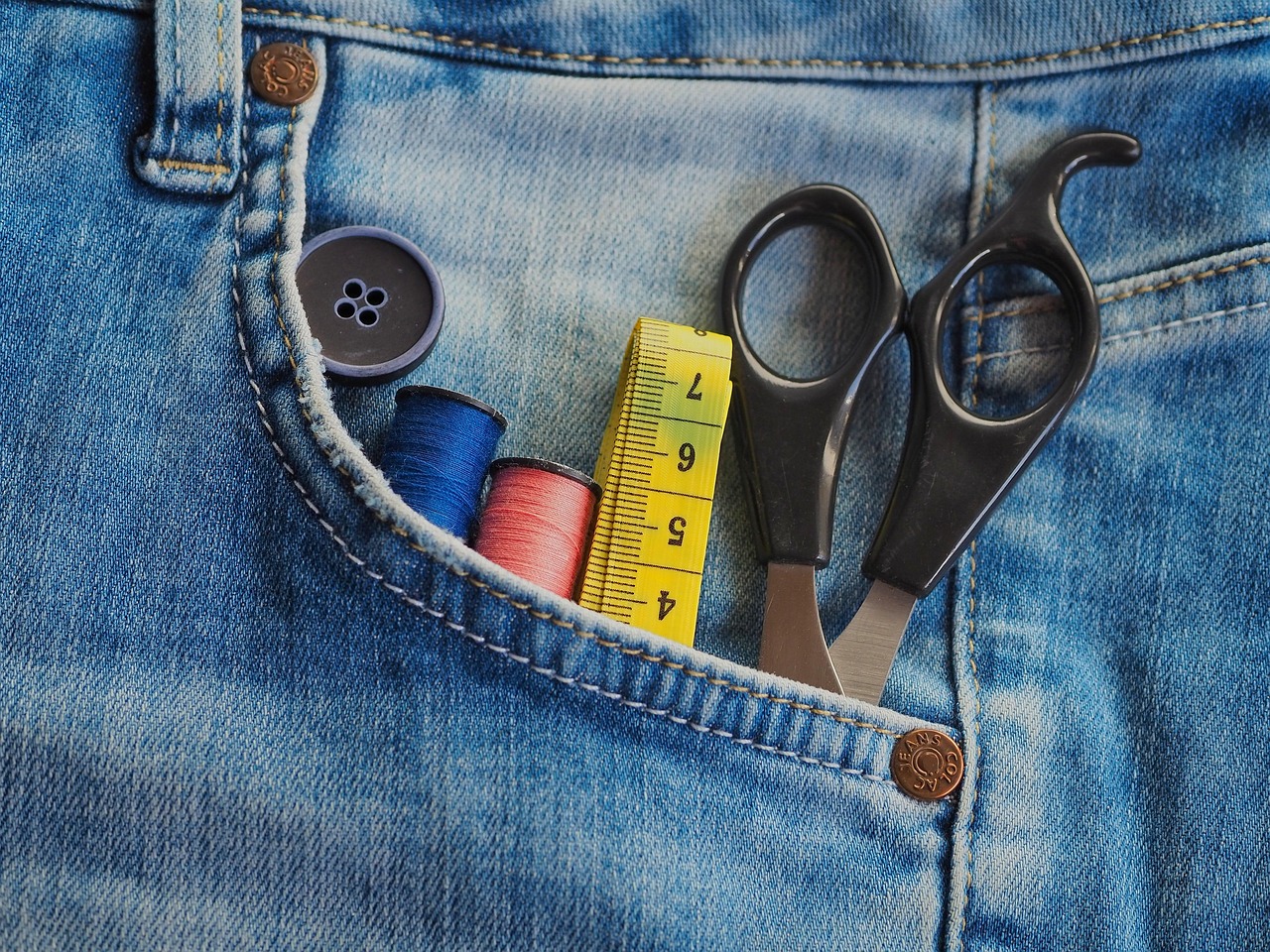
Gone are the days when you needed to carry a bulky tape measure everywhere you go. Thanks to modern technology and augmented reality capabilities, your smartphone can now serve as a precise digital measuring tool that fits right in your pocket. Whether you’re a DIY enthusiast, a professional contractor, an interior designer, or simply someone who occasionally needs to measure furniture before buying, digital tape measure apps have revolutionized how we approach everyday measurements.
The convenience of having a measuring tool available 24/7 on your phone means you’ll never again face the frustration of wanting to buy that perfect couch only to realize you forgot to measure your living room doorway. With just a few taps and swipes, you can measure distances, heights, areas, and even complex shapes with impressive accuracy. Let’s explore everything you need to know about using digital tape measures on your mobile device. 📱
What Exactly Is a Digital Tape Measure App?
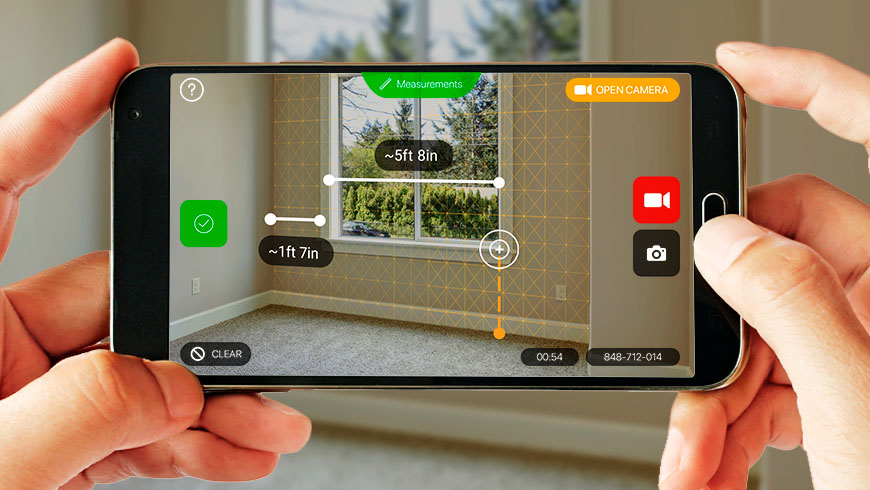
A digital tape measure app leverages your smartphone’s camera, sensors, and augmented reality (AR) technology to calculate distances and dimensions in the real world. These applications use sophisticated algorithms combined with your phone’s built-in hardware to create virtual measuring tools that appear on your screen when you point your camera at objects.
The technology behind these apps is fascinating. They utilize your phone’s accelerometer, gyroscope, and camera to understand spatial relationships and depth perception. When you align virtual points on your screen with physical objects in your environment, the app calculates the distance between those points using trigonometry and sensor data.
Modern digital measuring apps can do much more than simple linear measurements. Many offer features like area calculation, volume estimation, height measurement, angle detection, and even the ability to save and share your measurements instantly. This makes them incredibly versatile tools for countless situations. ✨
Why You Should Start Using Digital Tape Measure Apps Today
The advantages of digital measuring tools extend far beyond mere convenience. Here’s why millions of users worldwide have already made the switch:
Always Available When You Need It 🔧
Your smartphone is probably the one item you never leave home without. Having a measuring tool integrated into this device means you’re always prepared for unexpected measuring needs. Whether you’re shopping for furniture, helping a friend plan a renovation, or checking if that vintage dresser will fit in your car, your digital tape measure is ready to go.
No More Forgotten Measurements
How many times have you measured something, only to forget the exact dimensions by the time you needed them? Digital apps automatically save your measurements, often with accompanying photos showing exactly what was measured. This documentation feature is invaluable for shopping trips, project planning, and professional work.
Measure Hard-to-Reach Places
Traditional tape measures struggle with certain measurements—ceiling heights, window tops, or distances across obstacles. Digital tools can measure these challenging spaces more easily by using your phone’s camera perspective. Simply point your camera at the area, and the app does the rest.
Share Measurements Instantly 📤
Need to send dimensions to a contractor, share room measurements with a designer, or consult with a friend about whether furniture will fit? Digital measurements can be shared instantly via text, email, or social media, complete with annotated photos showing exactly what was measured.
How to Use a Digital Tape Measure on Your Phone
Using a digital measuring app is remarkably straightforward, even if you’re not particularly tech-savvy. Here’s a step-by-step guide to get you measuring like a pro in minutes:
Step 1: Download and Install the App 📲
Start by visiting your device’s app store and searching for a digital tape measure app. Many excellent options are available, with features ranging from basic measuring to advanced AR capabilities. Look for apps with good ratings and regular updates, as this indicates ongoing developer support and accuracy improvements.
After installation, open the app and grant necessary permissions—typically camera access and sometimes motion sensor access. These permissions are essential for the app to function properly, as it needs to see your environment and understand your phone’s position in space.
Step 2: Calibrate (If Required)
Some apps require a quick calibration process to ensure accuracy. This might involve measuring a known distance or placing your phone on a flat surface. Follow any on-screen instructions carefully during your first use. This one-time setup significantly improves measurement precision.
Step 3: Position Your Camera 📸
Point your phone’s camera at the object or space you want to measure. For best results, ensure adequate lighting and try to position yourself so you have a clear, unobstructed view. The app will typically scan the environment and detect surfaces automatically, showing a grid or overlay on your screen.
Step 4: Mark Your Starting Point
Tap the screen to place your first measurement point. Most apps show a circular target or crosshair to help you position the point accurately. Place this marker at the beginning of the distance you want to measure—for example, at one corner of a wall or the edge of a piece of furniture.
Step 5: Mark Your Ending Point
Move your phone to follow the line you’re measuring, then tap again to place your second point at the end of the distance. The app will instantly calculate and display the measurement between these two points. Many apps show the measurement line overlaid on your camera view, making it easy to verify accuracy.
Step 6: Review and Save Your Measurement 💾
Check the displayed measurement and ensure it looks reasonable. Most apps allow you to adjust points if needed or take the measurement again. Once satisfied, save the measurement. Many apps let you add notes, labels, or take a photo with the measurement annotations visible.
Tips for Getting the Most Accurate Measurements
While digital tape measures are impressively accurate, following these best practices will ensure you get the most reliable results:
- Ensure good lighting: Poor lighting makes it harder for your camera to detect surfaces and edges accurately. Natural daylight or bright indoor lighting produces the best results.
- Keep your phone steady: Shaky hands can affect accuracy. Try bracing your phone against your body or a stable surface when placing measurement points.
- Measure from appropriate distances: Standing too close or too far from objects can reduce accuracy. Generally, 3-10 feet away works best for most measurements.
- Verify critical measurements: For important projects where precision matters, consider taking multiple measurements or using a traditional tape measure to confirm critical dimensions.
- Clean your camera lens: Smudges and dirt on your camera lens can interfere with the app’s ability to detect surfaces clearly. A quick wipe makes a noticeable difference.
- Hold your phone vertically: Most apps work best when your phone is held upright rather than tilted at extreme angles.
Incredible Features You Didn’t Know Digital Tape Measures Could Do
Modern measuring apps offer capabilities that would amaze users from just a few years ago. Here are some advanced features available in many digital tape measure applications:
Area and Volume Calculation 📐
Beyond simple linear measurements, many apps can calculate the area of floors, walls, or other surfaces. Some even estimate volume by measuring three-dimensional spaces. This is incredibly useful for flooring projects, painting calculations, or determining storage capacity.
Height Measurement Using Reference Points
Want to know how tall that tree is or the height of a building? Many apps include height measurement features that use angle calculations and distance to determine vertical dimensions without needing a ladder or climbing equipment.
Angle and Level Detection 📏
Some advanced apps include digital level functionality and angle measurement tools. These features help with construction projects, hanging pictures perfectly straight, or determining the slope of surfaces.
Floor Plan Creation
Certain applications can help you create basic floor plans by measuring room dimensions and automatically generating scaled diagrams. This feature is fantastic for interior design planning, real estate documentation, or renovation projects.
Photo Annotations and Markup
Mark up photos with measurements, arrows, notes, and highlights. This creates professional-looking documentation perfect for work orders, insurance claims, or project proposals.
Unit Conversion 🔄
Instantly switch between metric and imperial units (meters, feet, inches, centimeters) without manual calculation. This is particularly useful for international projects or when working with specifications in different measurement systems.
Real-World Applications That Will Change Your Life
The practical applications of digital tape measures extend into virtually every area of life. Here are scenarios where having a measuring app proves invaluable:
Shopping for Furniture and Appliances 🛋️
Never buy furniture that doesn’t fit again. Measure doorways, hallways, and the intended space for new furniture while shopping. Take photos with measurements annotated directly on them to remember exactly what will work when you get home.
Home Improvement Projects
Planning a renovation? Measure rooms for flooring, calculate wall areas for paint, determine trim lengths, and document existing conditions. Share these measurements with contractors or suppliers to get accurate quotes without scheduling multiple measurement visits.
Real Estate and Property Management 🏠
Real estate professionals can quickly measure and document property dimensions, create basic floor plans, and provide accurate square footage information to clients. Property managers can measure spaces for maintenance work or improvement projects efficiently.
Moving and Packing
Measure boxes, furniture, doorways, and moving truck spaces to plan your move more efficiently. Determine whether items will fit through stairways and doorways before moving day arrives, preventing last-minute surprises.
Professional Construction and Contracting 👷
While not replacing precision measuring tools for critical structural work, digital apps provide quick rough measurements, help with estimates, document job sites, and facilitate client communication. Many contractors use them as supplementary tools alongside traditional equipment.
Interior Design and Decoration
Designers can measure spaces quickly during initial consultations, determine optimal furniture placement, calculate fabric requirements, and plan lighting arrangements. The ability to save and organize measurements by project keeps everything organized.
DIY and Crafting Projects ✂️
Hobbyists and crafters can measure materials, plan projects, and ensure pieces will fit together correctly. Whether building custom shelving, sewing curtains, or creating artwork, accurate measurements are essential.
Comparing Digital vs. Traditional Tape Measures
Understanding when to use digital versus traditional measuring tools helps you work more efficiently:
| Feature | Digital Tape Measure | Traditional Tape Measure |
|---|---|---|
| Convenience | Always on your phone, no extra tools to carry | Requires remembering to bring it |
| Accuracy | Generally accurate within 1-2% for most uses | Extremely precise when used correctly |
| Documentation | Automatic saving, photos, and sharing capabilities | Must write down measurements manually |
| Difficult Measurements | Excels at heights, long distances, and awkward spaces | Challenging for very long distances or heights |
| Cost | Often free or low-cost apps | One-time purchase, but another item to buy |
| Learning Curve | Requires brief familiarization with app interface | Instantly familiar to most users |
The reality is that both tools have their place. Digital measuring apps excel in convenience, documentation, and difficult-to-reach measurements, while traditional tape measures remain superior for precision work requiring extreme accuracy.
Overcoming Common Challenges and Limitations
Like any technology, digital tape measures have limitations. Being aware of these helps you use them more effectively:
Accuracy Variations ⚠️
Accuracy depends on factors like lighting conditions, camera quality, surface textures, and how steady you hold your phone. Recognize that while measurements are generally reliable for most purposes, they may not be suitable for applications requiring millimeter precision.
Surface Detection Issues
Highly reflective, transparent, or very dark surfaces can sometimes confuse the app’s ability to detect edges and depths accurately. In these situations, try adjusting your angle or lighting, or use a traditional tape measure instead.
Battery Consumption 🔋
Using camera and sensor features continuously can drain your battery relatively quickly. If you’re planning extensive measuring sessions, ensure your phone is charged or bring a portable charger.
Device Compatibility
Older smartphones may lack the advanced sensors needed for the most accurate measurements. AR-enabled measuring features typically require relatively recent devices. Check app requirements before downloading to ensure compatibility.
Maximizing Your Digital Measuring Experience
Transform from a casual user to a power user with these advanced tips:
Create Measurement Projects 📁
Organize your measurements by creating projects or folders within the app. Group all measurements for a specific room renovation, moving plan, or client project together for easy reference.
Use Reference Objects
Some apps allow you to calibrate measurements using objects of known size. Placing a ruler or standard-sized object in frame can improve accuracy for subsequent measurements.
Take Multiple Measurements
For important dimensions, take 2-3 measurements and compare results. If they’re consistent, you can be confident in the accuracy. If they vary significantly, investigate what might be causing the discrepancy.
Combine with Other Apps 🔗
Integrate your measuring app with design software, note-taking apps, or project management tools to create comprehensive documentation. Export measurements to spreadsheets for material calculations and cost estimates.
Practice Makes Perfect
Like any skill, proficiency with digital measuring improves with practice. Spend time measuring known distances to get a feel for how the app works and develop confidence in your technique.
The Future of Digital Measuring Technology
The evolution of smartphone measuring technology continues at a rapid pace. Emerging developments promise even more impressive capabilities:
Advanced AR integration will enable more sophisticated 3D modeling directly from your phone. Improved sensor technology and artificial intelligence will enhance accuracy to rival professional measuring equipment. We’re likely to see better integration with smart home systems, allowing measurements to interact with automated design and planning tools.
LiDAR technology, already present in some high-end smartphones, represents a significant leap forward in measurement precision and reliability. As this technology becomes more widespread across device ranges, digital measuring accuracy will approach professional-grade standards. 🚀
Machine learning algorithms will increasingly help apps understand context, automatically identify objects, and suggest relevant measurements based on what you’re looking at. The line between manual measuring and intelligent environmental scanning continues to blur.
Taking Your First Measurement Today
The best time to start using digital measuring technology was yesterday—the second best time is right now. Download a measuring app today and experiment with basic measurements around your home. Measure your furniture, room dimensions, picture frame sizes, or anything that catches your interest.
You’ll quickly discover that what seemed like a novel technological trick becomes an indispensable everyday tool. The convenience of always having measuring capabilities in your pocket transforms how you approach countless situations. From shopping decisions to home projects, from professional work to casual curiosity, your digital tape measure becomes a trusted companion.
The technology is accessible, mostly free or very affordable, and requires minimal learning investment. Within minutes of downloading an app, you’ll be taking measurements that would have previously required planning, remembering to bring tools, and manual documentation. The future of measuring is already here, residing quietly in your pocket, waiting for you to unlock its potential. 📱✨
Stop letting forgotten tape measures, lost measurements, and uncertainty about dimensions hold you back. Embrace the convenience and capability of digital measuring technology and join millions of users worldwide who have already discovered that measuring anything, anywhere, anytime is not just possible—it’s remarkably easy.
