
Anúncios
Measuring spaces accurately has never been easier—digital tape measures are revolutionizing how we work, offering precision and speed at your fingertips with just a smartphone.
Gone are the days when measuring a room required two people, a metal tape, and plenty of patience. Today’s digital measuring tools transform your smartphone into a powerful measuring device, using augmented reality and advanced sensors to deliver instant, accurate results.
Whether you’re a professional contractor, interior designer, real estate agent, or simply someone who loves DIY projects, learning to measure with digital tape technology can save you countless hours and eliminate measurement errors that cost time and money.
📱 What Exactly Is a Digital Tape Measure App?
A digital tape measure app uses your smartphone’s camera and built-in sensors to calculate distances, heights, and dimensions of objects and spaces around you. By leveraging augmented reality (AR) technology, these apps overlay virtual measuring lines onto real-world surfaces captured through your camera.
The technology behind these apps is surprisingly sophisticated. They utilize LiDAR sensors (on compatible devices), accelerometers, gyroscopes, and advanced algorithms to triangulate measurements with impressive accuracy. What once required expensive laser measuring tools can now be accomplished with a device already in your pocket.
Most digital tape apps offer features far beyond simple linear measurements. You can measure perimeters, calculate areas, determine angles, and even create floor plans—all from a single application. This versatility makes them indispensable tools for modern professionals and homeowners alike.
✨ Why Traditional Measuring Methods Are Becoming Obsolete
Traditional tape measures have served us well for decades, but they come with inherent limitations that digital solutions elegantly solve. Physical tapes bend, sag, and require assistance when measuring long distances or hard-to-reach areas.
Consider measuring the height of a ceiling or the dimensions of a large room. With a conventional tape, you’d need a ladder, a helper, and multiple attempts to ensure accuracy. Digital measuring apps accomplish the same task in seconds, with just a few taps on your screen.
The margin for human error decreases dramatically when using digital tools. Misreading numbers, incorrect positioning, or parallax errors become problems of the past. Digital measurements are instantly recorded, stored, and can be shared with colleagues or clients without transcription mistakes.
🔧 Real-World Applications That Save Time Daily


Professional contractors use digital tape measures to quickly estimate materials needed for projects, reducing waste and improving bid accuracy. Instead of carrying multiple measuring tools to job sites, they rely on one smartphone app that handles everything from simple length measurements to complex room layouts.
Interior designers benefit enormously from instant dimension capture. When visiting client spaces, they can measure rooms, windows, and furniture placement areas in minutes rather than hours, allowing more time for creative design work. The ability to photograph and measure simultaneously creates comprehensive documentation for every project.
Real estate professionals leverage digital measuring technology to provide accurate square footage information for listings. Walking through properties becomes more efficient when measurements can be captured and documented instantly, creating detailed reports that build client trust and confidence.
🎯 How to Get Started Measuring in Seconds
Getting started with digital tape measuring is remarkably straightforward. After downloading a quality measuring app, you’ll typically need to calibrate it once by measuring a known distance or allowing the app to detect your device’s height from the floor.

Most apps guide you through this initial setup with clear, visual instructions. The calibration process ensures that subsequent measurements maintain accuracy regardless of what you’re measuring. Some advanced apps with LiDAR support skip this step entirely, offering instant accuracy from the first use.
Once calibrated, measuring becomes intuitive. Simply point your camera at the starting point of what you want to measure, tap to set the first marker, then move to the endpoint and tap again. The app instantly displays the distance, often with options to refine or adjust the measurement for perfect precision.
💡 Pro Tips for Maximum Accuracy
Lighting conditions significantly impact measurement accuracy. Well-lit environments with clear contrast between surfaces produce the most reliable results. When measuring in dimly lit spaces, consider using your phone’s flashlight or additional lighting to improve the app’s ability to detect edges and surfaces accurately.
Steady hands make a difference. While these apps are designed to compensate for minor movements, keeping your device as stable as possible during measurement ensures the best results. Some users find that briefly pausing before tapping to set measurement points improves consistency.
For measuring large spaces or long distances, move slowly and deliberately. This gives the app’s sensors time to process spatial information and maintain accurate tracking. Rushing through measurements can introduce small errors that compound over longer distances.
📊 Comparing Digital vs. Traditional Measuring Tools
Understanding when to use digital versus traditional measuring tools helps you work more efficiently. Each approach has ideal use cases, and savvy professionals often employ both depending on the situation.
| Feature | Digital Tape Measure | Traditional Tape |
|---|---|---|
| Speed | Instant measurements in seconds ⚡ | Requires physical positioning and reading |
| Accessibility | Measures hard-to-reach areas easily | Limited by physical reach and obstacles |
| Data Storage | Automatic saving and organization 📁 | Manual recording required |
| Accuracy Range | ±1-2% for most measurements | ±1mm with careful use |
| Cost | Free to moderate app cost 💰 | Low initial cost, requires replacement |
| Additional Features | Area calculation, floor plans, photos | Single purpose only |
This comparison reveals that digital tape measures excel in versatility and convenience, while traditional tapes maintain a slight edge in precision for extremely detailed work requiring millimeter accuracy. For most everyday applications, digital tools provide more than adequate precision with significantly enhanced functionality.
🏗️ Advanced Features That Transform Your Workflow
Modern digital measuring apps go far beyond simple point-to-point measurements. Area calculation features let you trace the perimeter of a room or surface, automatically computing square footage—invaluable for flooring, painting, or landscaping projects.
Height measurement functions determine vertical dimensions without ladders or assistance. Point your phone at the base of an object, then at its top, and the app calculates height using geometric principles and sensor data. This feature proves especially useful for estimating tree heights, building dimensions, or ceiling clearances.
Some advanced applications include floor plan creation tools. As you measure room dimensions, the app constructs a scaled blueprint automatically. These digital floor plans can be exported, shared, and integrated with design software, streamlining the entire planning process from measurement to implementation.
📸 Combining Photos with Measurements
The ability to annotate photos with measurements creates powerful documentation. Capture an image of a space or object while measuring, and the app overlays dimension information directly onto the photograph. This visual record eliminates confusion and provides clear references for future work.
These annotated images become invaluable communication tools. Send them to clients, suppliers, or team members to convey exact specifications without lengthy explanations. A single photo showing measured dimensions communicates more effectively than pages of written descriptions.
Historical measurement records stored within apps create a searchable database of past projects. Need to remember the dimensions of a client’s kitchen from six months ago? A quick search through your measurement history provides instant answers, eliminating return visits just to re-measure.
🌟 Choosing the Right Digital Tape Measure App
Not all measuring apps are created equal. When selecting one for your needs, consider accuracy ratings from verified reviews. Apps with consistently positive feedback regarding measurement precision should top your list, especially if you’re using them professionally.
User interface matters more than you might think. An app with powerful features becomes useless if the interface is confusing or cluttered. Look for clean designs with intuitive controls that let you focus on measuring rather than navigating complex menus.
Device compatibility plays a crucial role in performance. Apps optimized for devices with LiDAR sensors (like newer iPhone models) deliver superior accuracy compared to those relying solely on camera-based AR. Check whether an app leverages your specific device’s capabilities for best results.
🔍 Essential Features to Look For
- Multiple measurement modes: Linear, area, height, and angle measurements provide versatility for various projects
- Unit conversion: Seamlessly switch between imperial and metric units to work with diverse specifications
- Export options: Save and share measurements via PDF, image files, or direct integration with other apps
- Calibration tools: Easy recalibration ensures ongoing accuracy as you use the app across different projects
- Offline functionality: Work in areas without internet connectivity without losing core measuring capabilities
- History tracking: Review and reuse previous measurements without starting from scratch
- Cloud backup: Protect your measurement data from device loss or failure
💼 Professional Use Cases That Demonstrate Real Value
Construction professionals save significant time during initial site assessments. Walking a property with a digital tape measure allows rapid dimension capture for estimating materials, labor, and project timelines. What once took hours of careful measurement now requires minutes of efficient data collection.
Furniture sellers and movers rely on digital measuring to quickly determine whether large items will fit through doorways, hallways, and staircases. This prevents costly mistakes and customer dissatisfaction caused by furniture that won’t physically reach its intended location.
HVAC technicians use digital measuring apps to calculate room volumes for proper equipment sizing. Accurate volume calculations ensure that heating and cooling systems match space requirements, improving energy efficiency and customer satisfaction with system performance.
🏡 Home Improvement Projects Made Simple
DIY enthusiasts find digital tape measures invaluable for home projects. Planning a new bookshelf? Measure the wall space in seconds to ensure perfect fit. Installing new curtains? Quickly determine rod length and fabric requirements without awkward measuring sessions.
Garden and landscape planning becomes more precise with digital tools. Measure garden bed dimensions, calculate mulch quantities, or plan patio layouts with speed and accuracy that makes project planning enjoyable rather than tedious.
When shopping for furniture or appliances, having accurate room measurements in your phone prevents purchasing items that don’t fit. Measure once at home, then shop confidently knowing exact dimension requirements for your space.
🚀 The Future of Digital Measuring Technology
Augmented reality integration continues advancing rapidly. Future measuring apps will likely offer enhanced 3D visualization, letting you not just measure spaces but virtually place furniture, fixtures, or design elements to preview results before making purchases or commitments.
Artificial intelligence integration promises even greater accuracy and functionality. Smart algorithms could automatically detect room boundaries, identify objects, and suggest optimal measurements based on project type, reducing the need for manual measurement point selection.
Cross-platform collaboration features will enable real-time measurement sharing among team members. Imagine multiple people on different job sites contributing measurements to a shared project database, with changes syncing instantly across all devices.
🎓 Mastering Digital Measuring Techniques
Practice with known distances to build confidence and verify accuracy. Measure familiar objects or spaces where you know exact dimensions, comparing digital results with verified measurements. This practice helps you understand your app’s capabilities and limitations.
Develop consistent measurement routines. Always measure from the same perspective when possible—straight on rather than at angles. This consistency improves accuracy and makes your results more reliable and reproducible across different sessions.
Learn to interpret and trust your measurements while maintaining healthy skepticism. Digital tools are remarkably accurate, but understanding when conditions might affect results—poor lighting, reflective surfaces, or extreme distances—helps you identify measurements that warrant verification.
⚡ Common Mistakes to Avoid
Moving too quickly during measurement sessions introduces errors. While digital tapes are fast, rushing the actual measurement process can cause the app to lose tracking or misidentify endpoints. Smooth, deliberate movements produce superior results.
Ignoring calibration reminders compromises accuracy over time. Apps that request occasional recalibration do so to maintain precision. Taking thirty seconds to recalibrate periodically ensures your measurements remain trustworthy.
Measuring highly reflective or transparent surfaces challenges AR technology. Glass, mirrors, and polished metals can confuse sensors. When working with these materials, measure adjacent non-reflective surfaces and calculate dimensions indirectly.
🌐 Integrating Digital Measurements into Your Workflow
Cloud-based storage solutions enable seamless measurement access across multiple devices. Start measurements on your phone at a job site, then review and annotate them on a tablet or computer back at the office without manual data transfer.
Integration with project management software creates comprehensive documentation. Export measurements directly into estimates, proposals, or work orders, maintaining accurate records that link specific dimensions to project milestones and deliverables.
Standardize measurement protocols across your team for consistency. When everyone uses the same app with identical settings and procedures, project collaboration becomes smoother and measurement discrepancies decrease significantly.
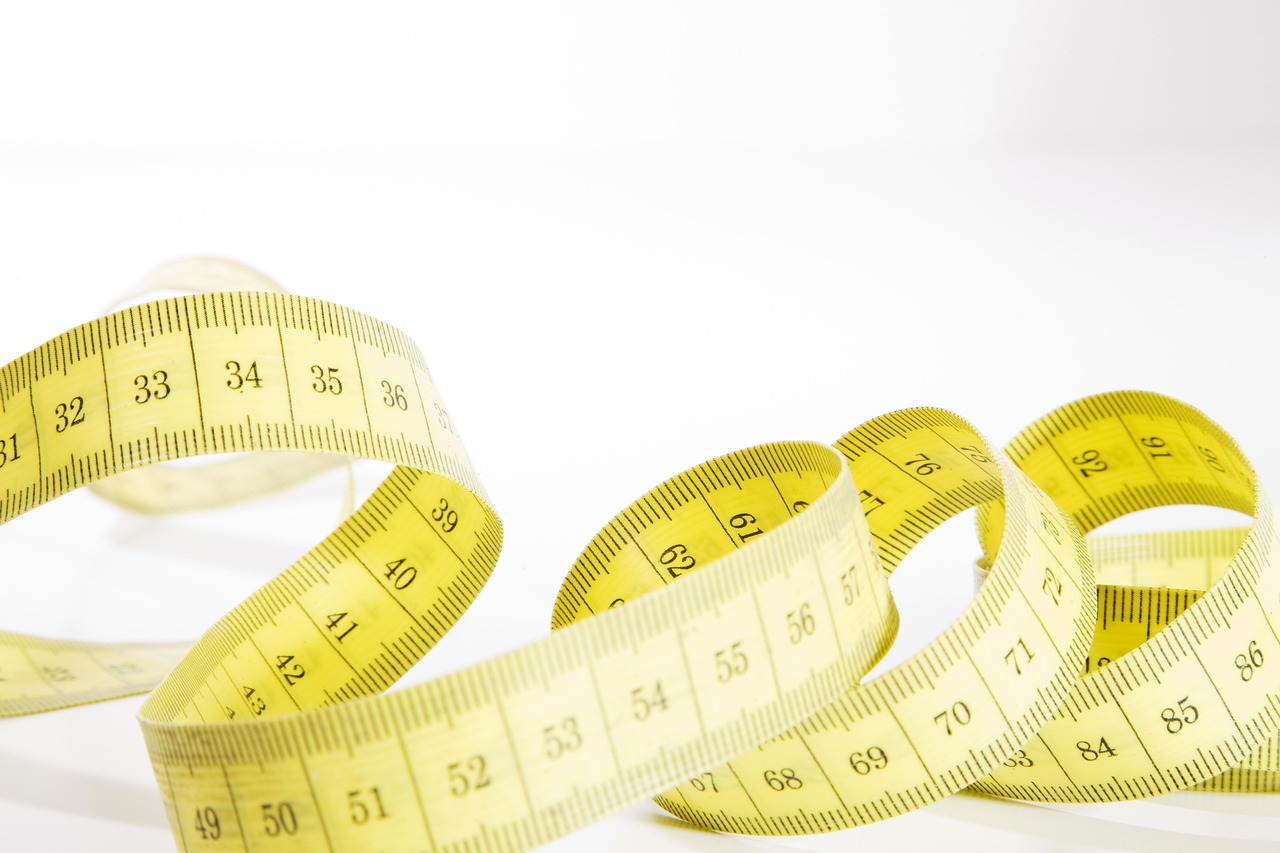
🎉 Transform How You Measure Starting Today
The transition from traditional to digital measuring represents more than adopting new technology—it’s embracing a smarter, faster approach to fundamental tasks that impact project quality and efficiency. The learning curve is minimal, but the benefits compound with every measurement you take.
Start with simple projects to build familiarity. Measure rooms in your home, objects around your office, or spaces you already know well. This low-stakes practice builds confidence before applying digital measuring techniques to critical professional projects.
Digital tape measure apps represent the perfect intersection of powerful technology and practical utility. They solve real problems, save genuine time, and deliver measurable value from the very first use. The question isn’t whether to adopt this technology, but rather how quickly you can integrate it into your daily routine to start experiencing the benefits.
Every professional who works with physical spaces and dimensions will eventually incorporate digital measuring into their toolkit. Those who adopt these tools now gain competitive advantages in speed, accuracy, and client service that distinguish them from competitors still relying exclusively on traditional methods.
