
Anúncios
Imagine turning your smartphone into a powerful walkie-talkie, allowing you to communicate instantly with friends, family, or work teams without relying on traditional calls or text messages.
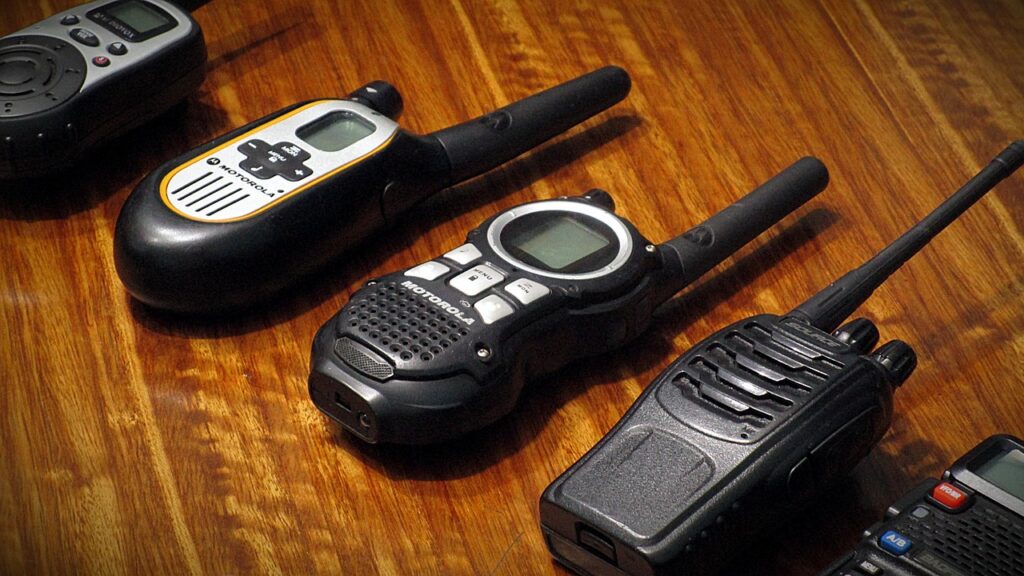


The technology that once required bulky devices and limited range has now been seamlessly integrated into the smartphones we carry every day. With specialized apps, your phone transforms into a versatile communication tool that combines the immediacy of push-to-talk with the convenience of modern messaging features.
Whether you’re coordinating outdoor adventures, managing a business team, or simply want a faster way to connect with your social circle, walkie-talkie apps offer a refreshing alternative to conventional communication methods. Let’s explore how this technology works and why it’s becoming increasingly popular worldwide. 📱
Why Transform Your Phone Into a Walkie-Talkie?
Traditional phone calls require both parties to be available simultaneously, while text messages often lack the urgency and personal touch of voice communication. Walkie-talkie apps bridge this gap perfectly by offering instant voice transmission that feels more natural and efficient than typing.
The beauty of these applications lies in their simplicity. With just a tap of a button, your voice reaches your contacts immediately, creating a conversation flow that’s faster than texting yet less intrusive than a phone call. This makes them ideal for quick updates, urgent notifications, or casual conversations throughout the day.
Many professionals have discovered the practical benefits too. Construction workers, event coordinators, security teams, and delivery drivers find walkie-talkie apps invaluable for maintaining constant communication without the need for expensive dedicated equipment.
How Walkie-Talkie Apps Actually Work 🔊
Unlike traditional walkie-talkies that use radio frequencies, smartphone walkie-talkie apps utilize internet connectivity to transmit voice messages. This means they work over WiFi or cellular data, giving you virtually unlimited range compared to conventional two-way radios.
When you press the talk button, your voice is instantly converted into digital data, transmitted through the internet, and played back on your recipient’s device in real-time. The latency is remarkably low, often just milliseconds, creating an experience that feels genuinely instantaneous.
Most apps also offer the flexibility of one-to-one conversations and group channels, where multiple people can participate in the same conversation stream. This makes coordinating with teams or friend groups incredibly efficient.
The Technology Behind Push-to-Talk Communication
Push-to-talk (PTT) technology has been refined over decades, and modern implementations use sophisticated audio compression algorithms to minimize data usage while maintaining clear voice quality. This ensures your messages sound crisp even on slower connections.
The apps typically store messages temporarily, allowing recipients to listen even if they weren’t actively using the app when you sent the message. This creates a hybrid experience between live communication and asynchronous messaging.
Top Features to Look For in Walkie-Talkie Apps
When choosing a walkie-talkie app for your smartphone, certain features can significantly enhance your communication experience. Understanding what to prioritize helps you select the right platform for your specific needs.
The best apps combine reliability with user-friendly interfaces, ensuring that anyone can start communicating within minutes of downloading. Here are the essential features that distinguish exceptional walkie-talkie apps from basic alternatives:
- Crystal-clear audio quality: Advanced noise cancellation and voice optimization ensure your messages are heard perfectly
- Group channels: Create unlimited channels for different purposes, from family chats to work teams
- Cross-platform compatibility: Seamless communication between iOS and Android devices
- Low data consumption: Efficient compression keeps your data usage minimal
- Background operation: Receive messages even when the app isn’t actively open
- Location sharing: Optional GPS features for coordinating meetups or tracking team members
- Text messaging integration: Combine voice with text for versatile communication
- Privacy controls: Manage who can contact you and when
Setting Up Your Smartphone Walkie-Talkie Experience 📲
Getting started with walkie-talkie apps is surprisingly straightforward. The entire setup process typically takes less than five minutes, and you’ll be communicating with your contacts almost immediately.
First, download your chosen app from the official app store. Most popular walkie-talkie apps are completely free to use with optional premium features. After installation, you’ll create an account using your phone number or email address.
Once registered, you can start building your contact list. Most apps let you find friends through phone contacts, usernames, or unique QR codes. Creating or joining channels is equally simple—just assign a name and invite participants.

Optimizing Your Device for Best Performance
To ensure the smoothest walkie-talkie experience, consider adjusting a few settings on your smartphone. Enabling notifications allows you to receive incoming messages promptly, even when you’re using other apps.
Granting microphone permissions is obviously essential, but also consider allowing background data usage to keep the connection active. If battery life is a concern, most apps offer low-power modes that balance performance with energy efficiency.
Creative Ways to Use Walkie-Talkie Apps in Daily Life
Beyond the obvious professional applications, walkie-talkie apps have found their way into countless everyday scenarios. Families use them to coordinate schedules, find each other in crowded places like theme parks, or simply stay connected throughout the day.
Parents particularly appreciate being able to quickly check in with their kids without requiring a full phone conversation. A quick “dinner’s ready” or “where are you?” becomes effortless and feels less intrusive than a traditional call.
Adventure enthusiasts use these apps during hiking, camping, or skiing trips where cellular coverage might be spotty but WiFi hotspots are available. The ability to communicate instantly adds a safety layer to outdoor activities.
Building Communities Through Group Channels 👥
One of the most powerful features is the ability to create public or private channels around shared interests. Neighborhood watch groups, hobbyist communities, and study groups have embraced walkie-talkie apps for their immediacy and ease of use.
Unlike traditional group chats that can become overwhelming with notifications, walkie-talkie channels allow you to listen when convenient while still maintaining a sense of real-time connection. You control your level of engagement.
Privacy and Security Considerations
As with any communication platform, understanding privacy implications is crucial. Reputable walkie-talkie apps employ end-to-end encryption to protect your voice messages from unauthorized access, ensuring your conversations remain private.
Most platforms allow you to control who can contact you, whether you want to be searchable by others, and how long messages are stored on servers. Taking a few minutes to review these settings helps maintain your desired level of privacy.
It’s worth noting that voice messages transmitted over public WiFi networks should ideally travel through encrypted connections. Using a VPN adds an extra security layer if you frequently communicate sensitive information.
Comparing Walkie-Talkie Apps to Traditional Communication Methods
When placed side-by-side with phone calls, text messages, and even video calls, walkie-talkie apps offer distinct advantages in specific situations. They’re faster than texting, less formal than calling, and more personal than emails.
| Communication Method | Speed | Convenience | Best For |
|---|---|---|---|
| Walkie-Talkie Apps | Instant | Very High | Quick updates, group coordination |
| Phone Calls | Immediate | Medium | Detailed conversations, formal discussions |
| Text Messages | Delayed | High | Non-urgent information, documentation |
| Video Calls | Immediate | Low | Face-to-face connection, presentations |
The hybrid nature of walkie-talkie apps—combining voice with asynchronous delivery—creates a unique communication sweet spot that no other method quite captures.
Maximizing Battery Life While Staying Connected 🔋
One common concern about walkie-talkie apps is their potential impact on battery life. Fortunately, modern apps are designed with power efficiency in mind, and a few simple strategies can extend your usage significantly.
Reducing screen brightness, limiting location services to only when needed, and closing unnecessary background apps all contribute to longer battery life. Many walkie-talkie apps offer battery-saving modes that reduce update frequency without compromising message delivery.
If you’re planning an extended day of heavy usage, consider portable battery packs. The convenience of instant communication usually outweighs the minor battery trade-off, especially as smartphone batteries continue to improve.
The Future of Smartphone Walkie-Talkie Technology
As 5G networks become more widespread, walkie-talkie apps will benefit from even lower latency and higher audio quality. We’re already seeing integration with smart speakers, wearables, and vehicle systems, expanding the ecosystem beyond smartphones.
Artificial intelligence is beginning to play a role too, with features like automatic message transcription, noise reduction, and even real-time translation breaking language barriers. The technology continues to evolve rapidly.
Augmented reality features may soon allow users to see who’s talking in group channels through visual overlays, while improved location services could automatically connect users based on proximity for spontaneous coordination.
Troubleshooting Common Issues
Even the best apps occasionally encounter hiccups. Understanding common problems and their solutions ensures you stay connected when it matters most.
If you’re experiencing connection issues, first check your internet connection strength. Switching between WiFi and cellular data often resolves temporary problems. Restarting the app clears most minor glitches.
Audio problems typically stem from microphone permissions or physical obstructions. Ensure the app has microphone access in your phone’s settings, and check that your phone case isn’t blocking the microphone opening.
When Messages Aren’t Delivering Properly
Delayed message delivery usually indicates network congestion or server issues. Most walkie-talkie apps display connection status indicators—watching these helps diagnose whether the problem is on your end or with the service.
Updating to the latest app version resolves many compatibility issues. Developers regularly release patches that improve performance and fix bugs, so keeping your app current is essential for optimal functionality.
Building Better Communication Habits With Instant Voice 🗣️
The immediacy of walkie-talkie apps encourages more frequent, authentic communication. Instead of crafting perfect text messages, you speak naturally, conveying tone and emotion that written words often miss.
This spontaneity strengthens relationships by making communication feel effortless. Quick check-ins throughout the day maintain connection without requiring significant time investment from either party.
However, as with any communication tool, establishing boundaries is important. Muting channels during meetings or sleep hours, and respecting others’ availability, ensures the technology enhances rather than intrudes upon your life.
Making the Switch: Your First Week With Walkie-Talkie Apps
Transitioning from traditional communication methods to walkie-talkie apps feels natural for most users. The first few days involve adjusting to the push-to-talk button and developing a rhythm for when to use voice versus text.
Start by creating a channel with close friends or family members who are willing to experiment with you. Use it for casual updates throughout the day—sharing observations, asking quick questions, or simply saying hello.
As you become comfortable with the basics, expand your usage to different contexts. Create separate channels for work, hobbies, and social groups. You’ll quickly discover which scenarios benefit most from instant voice communication.
Most users report that within a week, using their smartphone as a walkie-talkie feels completely natural. The technology fades into the background as the enhanced communication experience takes center stage.
Embracing Instant Communication in a Connected World
Transforming your smartphone into a walkie-talkie represents more than adopting a new app—it’s embracing a communication philosophy that values immediacy, authenticity, and human connection. The technology removes barriers that often prevent us from reaching out to loved ones or colleagues.
Whether you’re coordinating complex work projects, staying connected with dispersed family members, or simply enjoying more spontaneous conversations with friends, walkie-talkie apps offer a refreshingly direct communication experience that feels perfectly suited to our fast-paced modern lives.
The best part? Getting started requires nothing more than downloading an app and inviting a few contacts to join you. Within minutes, you’ll experience firsthand how this technology can enhance your daily communication, making staying connected easier and more enjoyable than ever before. ✨
