

Anúncios
Unlock the Full Power of Siri’s Voice Commands
Activate Siri Now
In today’s fast-paced digital world, voice assistants have revolutionized the way we interact with technology. Among these intelligent companions, Siri stands out as Apple’s pioneering voice command system that has continuously evolved to become an indispensable tool for millions of users worldwide. Whether you’re driving, cooking, working out, or simply multitasking, Siri offers a hands-free solution that seamlessly integrates into your daily routine.
From setting simple reminders to controlling your entire smart home ecosystem, Siri’s capabilities extend far beyond basic voice recognition. With each software update, Apple introduces innovative features that make this virtual assistant smarter, more intuitive, and increasingly helpful. Let’s dive deep into the remarkable functionalities that make Siri an essential companion for enhancing productivity and simplifying everyday tasks. 🚀
The Evolution of Siri: From Simple Commands to Intelligent Conversations
Since its debut in 2011, Siri has undergone tremendous transformation. What started as a basic voice recognition tool has evolved into a sophisticated AI-powered assistant capable of understanding context, learning user preferences, and providing personalized responses. Apple’s continuous investment in machine learning and natural language processing has enabled Siri to comprehend complex queries and deliver accurate results with remarkable speed.
The latest iterations of Siri showcase Apple’s commitment to privacy-first AI development. Unlike many competitors, Siri processes much of its data directly on your device, ensuring your personal information remains secure while still delivering powerful functionality. This on-device intelligence has significantly improved response times and enhanced the overall user experience across all Apple devices.
Understanding Natural Language Processing 🧠
One of Siri’s most impressive advancements lies in its natural language understanding. You no longer need to speak in rigid, robotic commands. Instead, you can communicate naturally, and Siri will interpret your intent accurately. Ask “What’s the weather like?” or “Do I need an umbrella today?” and you’ll receive the same helpful information, demonstrating Siri’s contextual awareness.
This conversational approach extends to follow-up questions. You can ask “How tall is the Eiffel Tower?” and immediately follow with “When was it built?” without repeating the subject. Siri maintains context throughout the conversation, creating a more fluid and human-like interaction.
Essential Siri Commands That Transform Your Daily Routine
Mastering Siri’s core functionalities can dramatically improve your productivity and efficiency. Here are the fundamental commands that every user should incorporate into their daily workflow:
Communication Made Effortless 📱
Siri excels at managing your communication needs without requiring you to touch your device. Simply say “Hey Siri, call Mom” or “Send a message to John saying I’ll be late” and watch as Siri handles the rest. This hands-free capability proves invaluable while driving, cooking, or whenever your hands are occupied.
The assistant can also read incoming messages aloud and allow you to dictate responses, making it safer to stay connected while on the move. You can specify which app to use for messaging, whether it’s iMessage, WhatsApp, or another platform, giving you complete control over your communication channels.
Calendar and Reminder Management ⏰
Never miss an important appointment or forget a crucial task again. Siri serves as your personal scheduling assistant, capable of creating calendar events with specific details. Say “Schedule a meeting with Sarah tomorrow at 3 PM about the marketing proposal” and Siri will create a detailed calendar entry complete with attendee information and notes.
Location-based reminders showcase Siri’s intelligent capabilities. Tell Siri “Remind me to buy milk when I get to the grocery store” and you’ll receive a notification the moment you arrive at that location. This geofencing technology ensures you remember tasks exactly when and where you need to complete them.
Advanced Siri Features for Power Users
Beyond basic commands, Siri offers sophisticated functionalities that can revolutionize how you interact with your Apple ecosystem. These advanced features demonstrate the true potential of voice-controlled intelligence.
Shortcuts: Automating Your Life 🔄
The Shortcuts app integration represents one of Siri’s most powerful capabilities. You can create custom voice commands that trigger complex sequences of actions across multiple apps. For example, a single phrase like “I’m heading home” could simultaneously send a message to your family, start navigation, adjust your smart home thermostat, and begin playing your favorite podcast.
These personalized automations eliminate repetitive tasks and create seamless workflows tailored to your specific needs. The Shortcuts Gallery offers hundreds of pre-built automations, while advanced users can create intricate custom shortcuts using the intuitive visual programming interface.
Smart Home Control at Your Command 🏠
Siri serves as the voice interface for your entire HomeKit-enabled smart home ecosystem. Control lights, thermostats, locks, cameras, and countless other devices using simple voice commands. Say “Good morning” to trigger a scene that opens your blinds, adjusts the temperature, starts brewing coffee, and plays the news.
The integration extends beyond individual device control. You can create sophisticated scenes that coordinate multiple devices simultaneously, and Siri’s intelligence allows for natural commands like “Make it brighter in here” or “Set the living room to movie mode.”
Siri Across the Apple Ecosystem: Seamless Integration
One of Siri’s greatest strengths lies in its consistent presence across all Apple devices, creating a unified experience that follows you throughout your day.
iPhone and iPad: Your Portable Assistant 📲
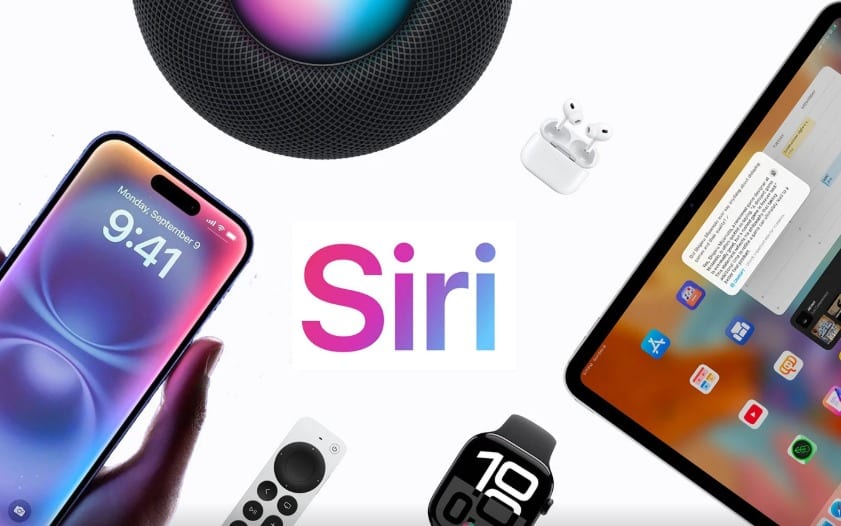
On mobile devices, Siri becomes your constant companion. The “Hey Siri” activation phrase works even when your device is locked, allowing instant access to information and controls. Type to Siri functionality offers a discreet alternative in situations where speaking aloud isn’t appropriate, maintaining accessibility in all environments.
iOS updates continually enhance Siri’s mobile capabilities, with features like Announce Messages automatically reading incoming texts through your AirPods, allowing you to stay informed without checking your phone.
Mac: Desktop Productivity Enhancement 💻
Siri on Mac transforms desktop productivity by providing voice access to system functions, file searches, and application controls. Ask Siri to “Find documents I worked on last week” or “Show me photos from my vacation” and watch as relevant results appear instantly.
The integration with macOS allows Siri to control system settings, adjust volume, enable Do Not Disturb mode, and perform countless other functions that would typically require navigating through multiple menus.
Apple Watch: Intelligence on Your Wrist ⌚
The Apple Watch showcases Siri’s potential for truly hands-free computing. Raise your wrist and speak to access all of Siri’s capabilities without touching any buttons. This proves particularly valuable during workouts, when cooking, or in any situation where accessing your phone would be inconvenient.
Siri on Apple Watch can track workouts, identify songs playing nearby, make calls, send messages, and even make payments through Apple Pay—all through simple voice commands.
HomePod: The Voice-First Experience 🔊
Apple’s HomePod and HomePod mini position Siri as a central home assistant accessible to everyone in your household. The far-field microphone array ensures Siri hears your commands even across noisy rooms or while music is playing.
Multiple user recognition allows HomePod to personalize responses based on who’s speaking, providing individualized calendar information, music preferences, and phone functionalities for different family members.
Recent Updates and What’s New in Siri 🆕
Apple’s commitment to improving Siri manifests through regular updates that introduce new capabilities and refine existing features. Understanding these recent enhancements helps you maximize Siri’s potential.
Enhanced Neural Engine Processing
Recent iOS updates have leveraged the advanced Neural Engine in Apple’s newer chips to dramatically improve Siri’s on-device processing capabilities. This results in faster response times, better voice recognition accuracy, and the ability to process more requests without requiring an internet connection.
The improved neural processing enables Siri to understand speech more accurately, even in noisy environments or when you’re speaking quickly. This technological advancement reduces frustration and makes interactions feel more natural and responsive.
Expanded Language and Translation Support 🌍
Siri now supports dozens of languages and dialects, making it accessible to users worldwide. Real-time translation capabilities allow you to say “How do you say ‘where is the bathroom’ in Spanish?” and receive both audio pronunciation and written text.
This multilingual intelligence extends to understanding mixed-language queries, particularly useful in multilingual households or when traveling internationally. Siri’s cultural awareness continues improving, recognizing regional expressions and providing contextually appropriate responses.
Privacy-Focused Improvements 🔒
Apple’s privacy commitment shapes every Siri enhancement. Recent updates include more transparent data handling, with clear indicators showing when audio is being processed and options to delete your Siri history directly from your device.
The opt-in approach to improving Siri through data sharing gives users complete control over their privacy preferences while still benefiting from advanced AI capabilities powered by on-device machine learning.
Productivity Hacks: Getting More Done with Siri
Integrating Siri into your workflow can save hours of time and mental energy. Here are powerful productivity strategies that leverage Siri’s capabilities:
Morning Routine Optimization ☀️
Start your day efficiently by asking Siri for a comprehensive briefing. Say “Good morning” to trigger a custom routine that tells you the weather, reads your calendar appointments, provides traffic updates for your commute, and delivers personalized news briefings based on your interests.
You can customize this morning routine through Shortcuts to include any information or actions relevant to your daily preparation, creating a personalized start-of-day experience.
Hands-Free Cooking Assistance 👨🍳
In the kitchen, Siri becomes an invaluable sous chef. Set multiple timers with specific names: “Set a 20-minute timer for the chicken” and “Set a 12-minute timer for the vegetables.” Ask for measurement conversions, ingredient substitutions, or step-by-step recipe instructions without touching your device with messy hands.
Siri can also play cooking podcasts, stream music, or read audiobooks, making kitchen time more enjoyable while you prepare meals.
Driving Safety and Navigation 🚗
Siri’s integration with Apple Maps provides comprehensive navigation assistance that keeps your eyes on the road. Request directions, find nearby gas stations, check traffic conditions, and receive ETA updates—all without touching your phone.
CarPlay integration brings Siri’s full capabilities to your vehicle’s display, offering larger visual feedback while maintaining voice-first interaction. Announce Messages feature reads incoming texts through your car’s speakers and allows voice replies, ensuring you stay connected safely.
Entertainment and Media Control 🎵
Siri transforms how you consume entertainment across all your Apple devices, providing intuitive voice control for music, podcasts, videos, and more.
Music Discovery and Playback
Apple Music integration allows sophisticated music control through natural language. Say “Play something I’d like” and Siri analyzes your listening history to queue appropriate tracks. Request specific moods, genres, decades, or activities: “Play workout music” or “Play relaxing jazz from the 1960s.”
Siri’s music intelligence extends to identifying songs playing in your environment with “What song is this?” and adding tracks to your library or playlists with simple commands. You can also ask about artist information, album details, or song lyrics.
Podcast and Audiobook Management 📚
Voice control makes consuming spoken content effortless. Ask Siri to “Play the latest episode of [podcast name]” or “Resume my audiobook” to continue where you left off across devices. Skip forward or backward by specific time intervals, adjust playback speed, or set sleep timers for bedtime listening.
Video Streaming Integration 📺
Siri works with Apple TV and compatible smart TVs to control your viewing experience. Request specific shows, movies, or genres, and Siri searches across multiple streaming services to find available content. Voice commands control playback, adjust volume, enable subtitles, and navigate interfaces without fumbling for remotes.
Accessibility Features: Siri for Everyone ♿
Apple’s commitment to accessibility ensures Siri serves users with diverse needs, providing alternative interaction methods and assistive technologies.
Voice Control for Physical Accessibility
For users with limited mobility, Siri provides comprehensive device control without physical interaction. Every function accessible through touch can be accomplished through voice commands, from launching apps to navigating complex interfaces.
Type to Siri offers an alternative for users who cannot speak or prefer not to use voice commands in certain situations. This feature maintains full Siri functionality through text input, ensuring accessibility in all environments.
Visual Accessibility Support 👁️
Siri integrates seamlessly with VoiceOver and other visual accessibility features, providing audio descriptions and spoken feedback for all interactions. Users with visual impairments can navigate their devices, read messages, and access information entirely through audio interfaces.
Voice-guided image descriptions use machine learning to identify objects, people, text, and scenes in photos, making visual content accessible through detailed verbal explanations.
Troubleshooting Common Siri Issues 🔧
While Siri generally works reliably, occasional issues may arise. Understanding common problems and their solutions ensures consistent performance.
Improving Voice Recognition Accuracy
If Siri frequently misunderstands your commands, several adjustments can help. Ensure your device’s microphone isn’t obstructed and speak clearly at a moderate pace. The “Hey Siri” setup process can be repeated to retrain voice recognition for better accuracy.
Background noise significantly affects recognition quality. In noisy environments, holding your device closer to your mouth or using AirPods improves Siri’s ability to isolate your voice from ambient sounds.
Connectivity and Response Issues
Many Siri functions require internet connectivity. If responses seem slow or incomplete, check your WiFi or cellular connection. Recent iOS updates have expanded offline capabilities, but complex queries, web searches, and third-party integrations still require network access.
Restarting your device often resolves temporary glitches affecting Siri’s responsiveness. If problems persist, checking Apple’s system status page can reveal whether server-side issues are affecting Siri functionality.
Privacy and Security Considerations 🛡️
Understanding how Siri handles your data empowers you to use the assistant confidently while maintaining control over your personal information.
How Siri Protects Your Privacy
Apple’s differential privacy approach ensures Siri learns and improves without compromising individual user privacy. Voice requests are associated with random identifiers rather than your Apple ID, and you can delete your Siri interaction history at any time from device settings.
On-device processing for many requests means your data never leaves your iPhone, iPad, or Mac. When server processing is necessary, information is encrypted during transmission and Apple retains data only as long as needed to fulfill requests.
Managing Siri Permissions
You maintain complete control over what information Siri can access. Through Settings, you can grant or revoke Siri’s access to contacts, calendars, locations, and other personal data. Third-party apps require explicit permission before Siri can interact with them, ensuring you always know which apps have voice control capabilities.
The Future of Siri: What’s Coming Next 🔮
Apple continues investing heavily in AI research and development, promising even more impressive Siri capabilities in future updates. Industry trends and Apple’s patent filings suggest several exciting directions for voice assistant evolution.
Enhanced Contextual Awareness
Future Siri versions will likely demonstrate even deeper contextual understanding, remembering previous conversations across longer time periods and drawing connections between different queries. This enhanced memory and reasoning will make interactions feel increasingly natural and helpful.
Proactive Suggestions and Predictions
Rather than waiting for explicit commands, Siri will become more proactive, offering suggestions based on learned patterns, calendar events, location, and other contextual signals. This predictive intelligence will anticipate your needs before you voice them, streamlining daily routines.
Expanded Third-Party Integration 🤝
As SiriKit continues evolving, more apps will offer deep voice control integration. This expansion will enable comprehensive voice-first experiences across your entire app ecosystem, not just Apple’s first-party applications.
Maximizing Your Siri Experience: Expert Tips
To truly harness Siri’s potential, consider these advanced strategies used by power users who have integrated voice control into nearly every aspect of their digital lives.
Build a Personal Command Library
Document the custom Shortcuts and voice commands you create, building a personal reference library. This practice helps you remember all available commands and makes it easier to share useful automations with family members or colleagues who might benefit from similar workflows.
Experiment with Conversational Queries
Don’t limit yourself to simple, rigid commands. Siri’s natural language processing improves constantly, so experiment with conversational phrasing to discover new capabilities. You might be surprised by how well Siri understands complex, multi-part requests when phrased naturally.
Integrate Siri into Existing Habits
Rather than learning entirely new workflows, identify existing routines where Siri could eliminate friction. Replace habitual phone-checking with voice queries, use timers instead of watching the clock, or set location reminders for tasks you frequently forget.
Voice Commands That Will Change How You Work and Live 💡
Siri represents more than just a convenient feature—it’s a fundamental shift in how we interact with technology. By embracing voice control and integrating it thoughtfully into your daily routines, you unlock time savings, enhanced productivity, and a more natural relationship with your devices.
The true power of Siri emerges not from any single feature but from the cumulative effect of small efficiencies across dozens of daily interactions. Each voice command that replaces tapping through menus, each hands-free message sent while cooking, and each automated routine triggered by a simple phrase compounds into significant time savings and reduced cognitive load.
As Apple continues refining Siri’s capabilities and expanding its integration across the ecosystem, the assistant becomes increasingly indispensable. Whether you’re just beginning to explore voice commands or you’re a seasoned user looking to deepen your integration, the functionalities outlined in this guide provide a roadmap for transforming Siri from an occasional convenience into an essential daily companion.
The future of computing is conversational, contextual, and increasingly intelligent. Siri stands at the forefront of this revolution, evolving alongside our needs and expectations. By mastering its current capabilities and staying informed about new features, you position yourself to benefit from each advancement in voice-controlled artificial intelligence. Start with simple commands, gradually build complexity through Shortcuts, and before long, you’ll wonder how you ever managed without this intelligent assistant guiding you through each day. 🚀✨
