
Anúncios
Amazon Alexa has evolved from a smart speaker companion into a powerful mobile assistant, bringing voice-activated convenience directly to your smartphone. Whether you’re an Android or iOS user, having Alexa in your pocket opens up a world of hands-free possibilities.
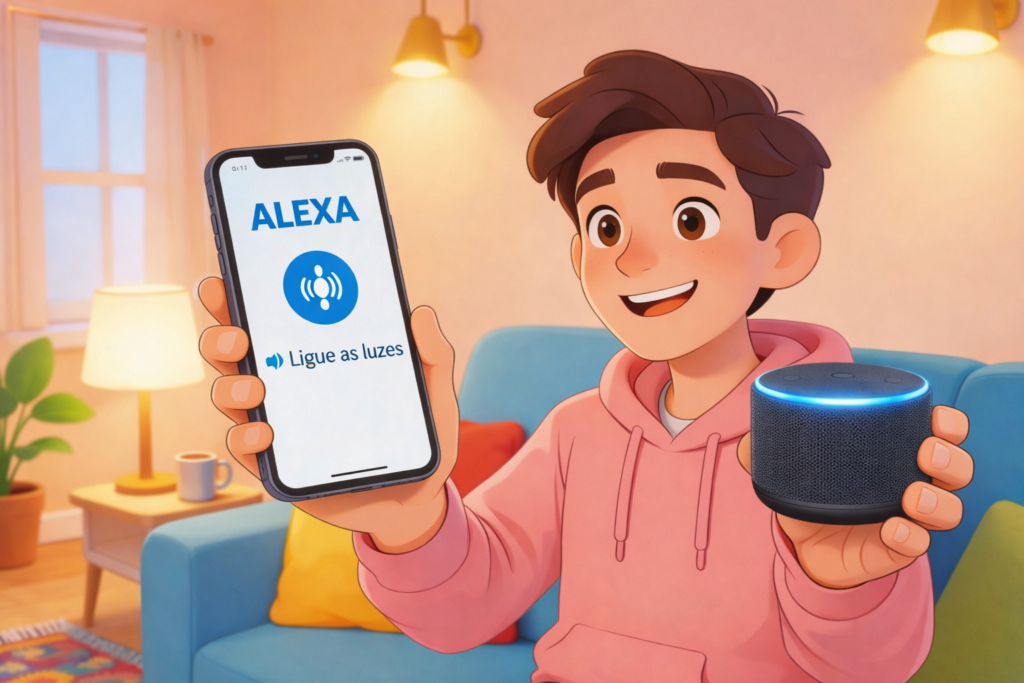


The transition from countertop device to mobile app represents a significant shift in how we interact with voice assistants. Now, Alexa accompanies you everywhere—from your morning commute to late-night shopping sessions, offering the same intelligent responses and smart home control you’ve grown accustomed to at home.
This comprehensive guide explores the incredible commands, practical features, and hidden capabilities that make Alexa on your phone an indispensable daily companion. Let’s discover how this portable assistant can transform your mobile experience with voice-activated efficiency.
🚀 Why Alexa on Your Phone Changes Everything
Having Alexa installed on your smartphone extends the ecosystem beyond stationary devices. Unlike traditional smart speakers that remain in one location, the mobile app travels with you, maintaining connectivity to your smart home, entertainment preferences, and personal routines wherever life takes you.
The app seamlessly integrates with your phone’s existing features while adding Amazon’s robust voice recognition technology. This means you can control smart devices remotely, set location-based reminders, and access thousands of Alexa skills without needing to be near a physical Echo device.
Mobile Alexa also serves as the central hub for managing all your Alexa-enabled devices. From this single interface, you can configure new smart home products, create routines, adjust settings, and monitor activity across your entire connected ecosystem.
📱 Setting Up Alexa for Maximum Mobile Impact
Getting started with Alexa on your phone takes just a few minutes. After downloading the app from either the Google Play Store or Apple App Store, you’ll sign in with your Amazon account credentials. If you don’t have an account, creating one is straightforward and free.
Once logged in, the app requests several permissions to function optimally. Microphone access is essential for voice commands, while location services enable features like weather updates for your current position and location-based reminders that trigger when you arrive or leave specific places.
Notification permissions allow Alexa to alert you about deliveries, reminders, and smart home events. Contact access enables hands-free calling and messaging features, making your voice assistant truly integrated into your communication workflow.
Customizing Your Mobile Alexa Experience
After initial setup, take time to personalize Alexa’s settings. Navigate to the “More” menu and explore options like voice recognition training, which helps Alexa better understand your unique speech patterns and accent. This significantly improves accuracy over time.
Consider enabling “Hands-Free Mode” on Android devices, which allows you to activate Alexa by simply saying the wake word without opening the app. iOS users can add Alexa to Siri Shortcuts for quick access through Apple’s voice assistant.
🎯 Essential Commands That Transform Daily Routines
The true power of mobile Alexa reveals itself through voice commands. These instructions span categories from productivity and entertainment to home automation and information retrieval. Mastering key commands turns your phone into an incredibly responsive personal assistant.
Smart Home Control from Anywhere
One of the most compelling reasons to use Alexa on your phone is remote smart home management. Whether you’re at work, traveling, or simply away from home, controlling connected devices becomes effortless.
- “Alexa, turn off the living room lights” — Control individual lights or entire rooms remotely
- “Alexa, set the thermostat to 72 degrees” — Adjust climate control before you arrive home
- “Alexa, lock the front door” — Secure smart locks from anywhere with internet connection
- “Alexa, show me the front door camera” — View security camera feeds directly in the app
- “Alexa, turn on the coffee maker” — Start compatible appliances remotely
These commands work identically to stationary Echo devices but offer location independence. Forgot to turn off the porch light? Handle it from your office. Want the house warm when you return from vacation? Adjust settings while still at the airport.

Productivity Commands That Actually Save Time ⏰
Mobile Alexa excels at helping you stay organized and efficient throughout your day. Voice-activated productivity tools eliminate the friction of opening multiple apps and navigating menus.
- “Alexa, add milk to my shopping list” — Instantly capture items you need without opening an app
- “Alexa, remind me to call Mom at 3 PM” — Set time-based reminders with natural language
- “Alexa, what’s on my calendar today?” — Get schedule overviews without checking your calendar app
- “Alexa, set a timer for 25 minutes” — Perfect for Pomodoro technique and cooking
- “Alexa, create a to-do” — Capture tasks instantly for later review
Location-based reminders represent a particularly powerful feature. Commands like “Alexa, remind me to buy stamps when I’m near the post office” trigger notifications based on your physical location, ensuring you never forget errands.
Entertainment and Media Commands 🎵
Your phone becomes a comprehensive entertainment controller with Alexa integration. Music, podcasts, audiobooks, and radio stations respond instantly to voice commands.
- “Alexa, play relaxing jazz” — Stream music based on genre, mood, or activity
- “Alexa, play the Daily Tech News podcast” — Access podcast content hands-free
- “Alexa, read my Kindle book” — Continue audiobook playback from where you left off
- “Alexa, play NPR” — Stream live radio stations through TuneIn integration
- “Alexa, stop music in 30 minutes” — Set sleep timers for media playback
If you have multiple Alexa devices, you can direct playback to specific speakers: “Alexa, play classical music on bedroom speaker” allows you to control whole-home audio from your phone.
💡 Advanced Commands Most Users Don’t Know
Beyond basic functionality, Alexa on your phone offers sophisticated commands that unlock hidden potential. These advanced features separate casual users from power users who maximize their voice assistant’s capabilities.
Multi-Step Routines Activated by Voice
Routines allow you to trigger multiple actions with a single command. While you configure these in the app, activating them through voice creates powerful automation sequences.
For example, create a “Good Morning” routine that reads news headlines, provides weather updates, starts your coffee maker, and adjusts smart blinds. Simply say “Alexa, good morning” to trigger the entire sequence from your phone while still in bed.
A “Leaving Home” routine might lock doors, adjust thermostats, turn off lights, and arm security systems—all activated by saying “Alexa, I’m leaving” as you head out the door.
Shopping and Reordering Commands 🛒
Alexa’s Amazon integration makes mobile shopping incredibly convenient. Voice commands streamline the entire purchasing process from discovery to checkout.
- “Alexa, order paper towels” — Reorder previously purchased items instantly
- “Alexa, track my package” — Get delivery status updates for recent orders
- “Alexa, add batteries to my cart” — Build shopping carts hands-free for later review
- “Alexa, find deals on headphones” — Discover current promotions and sales
For security, you can require a voice PIN for purchases, preventing accidental orders or unauthorized shopping by others who might access your phone.
Communication Commands That Connect You
Mobile Alexa transforms your phone into a communication hub with calling, messaging, and announcement capabilities that work across all your Alexa devices.
- “Alexa, call Sarah” — Initiate calls to contacts using your phone’s connection
- “Alexa, send a message to the Family group” — Broadcast voice messages to other Alexa users
- “Alexa, announce dinner is ready” — Send announcements to all Alexa devices in your home
- “Alexa, drop in on the kitchen” — Start instant conversations with specific Echo devices
These features work particularly well for families, enabling quick communication without phone calls or text messages. Parents can announce bedtime to kids’ Echo Dots throughout the house from anywhere.
🔧 Customizing Skills for Specialized Functions
Alexa’s skill library contains thousands of third-party extensions that add specialized capabilities. Installing and using these skills on your phone expands functionality far beyond Amazon’s native features.
Popular skill categories include meditation and relaxation, language learning, trivia and games, news from specific sources, fitness tracking, recipe guidance, and financial management. Each skill responds to unique voice commands specific to its function.
To enable skills, browse the “Skills & Games” section in the Alexa app. Once enabled, skills activate through voice: “Alexa, open Headspace” launches meditation sessions, while “Alexa, ask Sleep Sounds to play thunderstorm” provides ambient noise for focus or sleep.
Skills That Enhance Mobile Productivity
Some skills prove particularly valuable on mobile devices where quick access matters most. The “Any.do” skill integrates with the popular task manager, allowing voice-based task creation and list management that syncs across platforms.
“MyFitnessPal” skill lets you log meals by voice: “Alexa, tell MyFitnessPal I ate a chicken salad for lunch” captures nutrition data without manual entry. This hands-free logging works perfectly during meal prep or immediately after eating.
Financial skills like “Capital One” provide account balance inquiries and transaction history through voice commands, offering quick financial check-ins without opening banking apps or logging in repeatedly.
🌟 Privacy Controls and Voice History Management
Understanding privacy settings helps you use mobile Alexa confidently. The app provides comprehensive controls over data collection, storage, and usage that deserve attention during initial setup and periodic review.
Voice recordings can be reviewed and deleted individually or in bulk through the app’s privacy settings. Navigate to Settings > Alexa Privacy > Review Voice History to access recordings associated with your account. You can filter by date range and delete specific interactions or entire periods.
Enable “Don’t save recordings” to prevent Alexa from storing your voice clips while still allowing the assistant to function. This setting reduces personalization accuracy slightly but maximizes privacy for security-conscious users.
The “Mute” feature in the app stops microphone listening entirely, similar to the physical mute button on Echo devices. Use this when you want complete assurance that voice activation is disabled temporarily.
📊 Comparing Mobile Alexa with Competing Voice Assistants
Understanding how Alexa stacks up against Google Assistant and Siri helps you choose the right voice assistant for your needs or decide whether using multiple assistants provides advantages.
| Feature | Alexa | Google Assistant | Siri |
|---|---|---|---|
| Smart Home Compatibility | Extensive third-party support | Strong Google/Nest integration | Limited to HomeKit devices |
| Shopping Integration | Seamless Amazon ordering | Google Shopping integration | Limited shopping features |
| Skills/Actions | 100,000+ skills | Fewer but integrated actions | Limited third-party extensions |
| Music Services | Amazon Music prioritized | YouTube Music prioritized | Apple Music prioritized |
| Cross-Platform Availability | iOS and Android | iOS and Android (native on Android) | iOS only (native) |
Alexa’s strength lies in smart home control breadth and Amazon ecosystem integration. If you’re heavily invested in Amazon services, use numerous smart home devices, or value extensive third-party skills, Alexa on your phone provides unmatched versatility.
🎓 Pro Tips for Power Users
Experienced Alexa users employ strategies that maximize efficiency and unlock capabilities most people overlook. These advanced techniques transform your mobile voice assistant from helpful tool to indispensable companion.
Create Custom Responses with Routines
Beyond triggering actions, routines can make Alexa provide custom verbal responses. Set up a routine triggered by “Alexa, what should I focus on today?” that reads your daily affirmation, checks your calendar, provides weather updates, and lists your top three priorities from your to-do list.
These personalized sequences create morning rituals, bedtime routines, or transition moments that provide structure and consistency to your day—all activated by simple voice commands from your phone.
Use Follow-Up Mode for Conversations
Enable Follow-Up Mode in settings to allow continued conversation without repeating the wake word. After Alexa responds to your first command, the device listens briefly for follow-up questions, creating more natural conversational flow.
This works particularly well when asking multiple related questions: “Alexa, what’s the weather?” followed immediately by “What about tomorrow?” and then “Should I bring an umbrella?” creates a natural dialogue without constantly repeating “Alexa.”
Leverage Multi-Room Music Groups
If you have multiple Echo devices, create speaker groups in the app. This allows commands like “Alexa, play jazz everywhere” to start synchronized music throughout your entire home, controlled from your phone even when you’re away.
Individual room control remains available: “Alexa, pause music in the bedroom” stops playback in specific locations while maintaining it elsewhere, perfect for naptime or focused work sessions.
🔮 Future Capabilities Coming to Mobile Alexa
Amazon continues expanding Alexa’s mobile capabilities with features that blur the line between phone assistant and comprehensive AI companion. Upcoming enhancements promise even greater integration and functionality.
Visual ID features currently in development will allow Alexa to recognize objects through your phone’s camera, providing information about products, plants, landmarks, and more through visual recognition combined with voice interaction.
Enhanced contextual awareness will enable Alexa to understand conversation history better, maintaining context across multiple exchanges and even across devices. Start a conversation on your phone, continue it on your Echo speaker at home seamlessly.
Proactive suggestions represent another frontier, where Alexa anticipates needs based on routines, calendar events, and learned behaviors, offering helpful reminders and actions before you ask. Imagine Alexa suggesting you leave early for an appointment based on current traffic conditions without prompting.
🎯 Making Alexa Your Default Mobile Assistant
For users deeply committed to the Alexa ecosystem, setting it as your primary mobile assistant creates consistent experience across all devices. While operating systems favor their native assistants, workarounds maximize Alexa accessibility.
Android users can enable hands-free activation in the Alexa app settings, allowing the wake word to function even when the app isn’t open. This brings Alexa closest to native assistant functionality on Android devices.
iOS users should add Alexa commands to Siri Shortcuts, creating quick phrases that launch specific Alexa functions. You might say “Hey Siri, ask Alexa” to quickly access your preferred assistant through Apple’s voice recognition.
Both platforms support Alexa widgets on home screens, providing one-tap access to voice commands without unlocking your phone or searching for the app. Place this widget prominently for fastest access.
✨ Transforming Your Mobile Experience with Voice
Having Alexa on your phone fundamentally changes how you interact with technology throughout your day. The hands-free convenience, smart home connectivity, and extensive skill ecosystem create a personalized assistant that adapts to your unique needs and preferences.
Start with basic commands to build comfort and familiarity, then gradually explore advanced features like routines, skills, and multi-device control. The learning curve is gentle, but the efficiency gains compound significantly as you discover commands that address your specific daily challenges.
Whether you’re managing a smart home, streamlining productivity, enjoying entertainment, or simply seeking information, Alexa on your mobile device provides instant voice-activated access to an ever-expanding universe of capabilities. The assistant that started in your living room now travels everywhere you go, ready to help at a moment’s notice.
Download the app today and begin exploring the incredible commands that will transform your smartphone into an intelligent, responsive companion that understands your voice, anticipates your needs, and simplifies countless daily tasks with effortless efficiency.
