
Anúncios
Ever wondered if your smartphone could help you find hidden treasures or lost metal objects? With the right app, your device can become a functional metal detector in seconds.
Metal detecting has traditionally been an expensive hobby requiring specialized equipment. But thanks to modern smartphone technology, particularly the magnetometer sensor built into most devices, anyone can start detecting metal objects without investing in costly gear. This democratization of metal detection has opened up new possibilities for hobbyists, DIY enthusiasts, and practical problem-solvers alike.
Whether you’re searching for lost jewelry in your backyard, checking walls for metal studs before drilling, or simply exploring the fascinating world of treasure hunting, transforming your phone into a metal detector is easier than you might think. Let’s dive into how this technology works and how you can leverage it effectively. ⚡
Understanding the Science Behind Smartphone Metal Detection
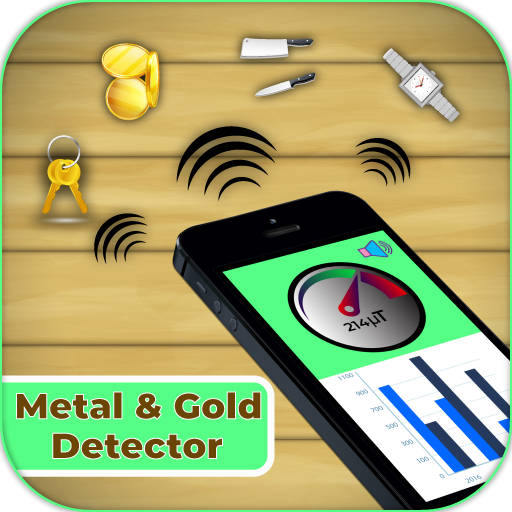
Your smartphone contains a small but powerful sensor called a magnetometer, originally designed to power your device’s compass functionality. This same sensor can detect changes in magnetic fields caused by nearby metal objects, effectively turning your phone into a basic metal detector.
The magnetometer measures magnetic field strength in microteslas (µT). When metal objects are nearby, they create distortions in Earth’s natural magnetic field, which the sensor picks up. Iron, steel, and other ferromagnetic materials create the strongest readings, while non-ferrous metals like gold, silver, and aluminum produce weaker signals or none at all.
Unlike professional metal detectors that use electromagnetic induction, smartphone metal detector apps rely entirely on passive magnetic field detection. This means they’re most effective at finding ferrous metals and may struggle with non-magnetic materials. The typical detection range is about 2-6 inches, depending on the object’s size and composition.
What Your Phone Can and Cannot Detect 🔍
Setting realistic expectations is crucial when using your smartphone as a metal detector. Understanding the limitations will help you use the tool more effectively and avoid disappointment.
Metals Your Phone Can Detect Well
- Iron and steel objects: Nails, screws, rebar, pipes, and structural supports
- Ferrous tools: Hammers, wrenches, and lost keys (if steel-based)
- Electrical wiring: Some apps can detect the magnetic fields around active wiring
- Metal studs in walls: Particularly useful for home improvement projects
- Buried metal objects: Within a few inches of the surface
Limitations You Should Know About
- Non-ferrous metals: Aluminum, copper, brass, and bronze create minimal magnetic disturbance
- Precious metals: Gold and silver are not magnetic and won’t be detected reliably
- Depth restrictions: Most detections occur within 2-6 inches maximum
- Accuracy variations: Environmental interference can affect readings
- Size matters: Very small objects may go undetected even if ferrous
Choosing the Right Metal Detector App for Your Needs
The app market offers numerous metal detector applications, ranging from simple free versions to premium options with advanced features. The key is finding one that matches your specific use case and device capabilities.
Most metal detector apps display readings in microteslas and provide visual or audio feedback when metal is detected. Better apps include calibration features, sensitivity adjustments, and the ability to log your findings. Some even incorporate augmented reality features to visualize magnetic field strength in real-time.
When selecting an app, check user reviews specifically from people with your phone model, as sensor quality varies significantly between devices. Apps that offer both visual displays and sound alerts tend to provide the best user experience, especially in outdoor environments where screen visibility might be challenging.
Step-by-Step Guide: Setting Up Your Smartphone Metal Detector
Transforming your phone into a functional metal detector takes just a few minutes. Follow these steps to get started on your detection journey.
Initial Setup Process
Step 1: Download a reputable metal detector app from your device’s app store. Check that it has positive reviews and recent updates, indicating active developer support.
Step 2: Grant the necessary permissions when prompted. Metal detector apps typically need access to your device’s sensors, and some may request location permissions for logging finds.
Step 3: Calibrate your device. Most apps include a calibration feature that establishes a baseline reading of the ambient magnetic field. Move away from metal objects and follow the in-app calibration instructions carefully.
Step 4: Test with known metal objects. Place your phone near various metal items to understand how the app responds to different materials and distances. This hands-on practice is invaluable for developing detection skills.


Optimizing Your Detection Settings
Adjust sensitivity based on your detection goals. Higher sensitivity helps find smaller or deeper objects but increases false positives from background magnetic interference. Lower sensitivity reduces noise but may miss subtle signals.
Enable audio alerts if available. Sound feedback allows you to focus on sweeping patterns rather than constantly watching your screen, making the detection process more efficient and less tiring during extended sessions.
Practical Applications for Your Phone Metal Detector 🛠️
Beyond the novelty factor, smartphone metal detectors serve numerous practical purposes in everyday life. Understanding these applications helps you maximize the tool’s utility.
Home Improvement and Construction
Finding wall studs before hanging heavy items is perhaps the most common practical use. Your phone can help locate metal studs, pipes, and electrical wiring behind walls, preventing costly mistakes when drilling or hammering. This application alone can save homeowners and DIY enthusiasts from damaged pipes or electrical hazards.
When working with drywall, move your phone slowly across the surface in a grid pattern. Metal studs will produce consistent readings as you trace their vertical path. Mark these locations lightly with a pencil before mounting shelves, TV brackets, or picture frames.
Lost Item Recovery
We’ve all lost metal objects in frustrating places—keys in thick grass, jewelry in sand, or tools in workshop debris. While your phone won’t match a dedicated metal detector’s power, it can certainly help narrow your search area for ferrous items, especially in confined spaces where larger equipment would be impractical.
For outdoor searches, work in systematic patterns and move slowly. The closer your phone gets to the target, the stronger the reading becomes, allowing you to pinpoint the location through trial and error.
Educational and Recreational Uses
Parents and educators find smartphone metal detectors valuable for teaching children about magnetism, physics, and scientific investigation. Creating treasure hunts with hidden metal objects turns learning into an engaging outdoor activity.
Amateur treasure hunting and urban exploration communities have embraced smartphone metal detection as an accessible entry point to the hobby. While serious detectorists eventually upgrade to professional equipment, starting with your phone allows you to explore whether the hobby appeals to you before investing significantly.
Maximizing Detection Accuracy and Range 📡
Several factors influence your smartphone metal detector’s effectiveness. Understanding and controlling these variables dramatically improves your results.
Positioning and Movement Technique
Hold your phone so the back (where most magnetometer sensors are located) faces the search area. Move slowly and steadily—quick movements can cause erratic readings that are difficult to interpret. Maintain a consistent distance from the surface you’re scanning, typically 1-3 inches for optimal performance.
Use overlapping sweep patterns to ensure complete coverage. Think of “painting” the area with your phone, making sure no spots are missed. This methodical approach is especially important when searching for small objects or working in areas with multiple metal sources.
Environmental Considerations
Electronic devices, power lines, and large metal structures create electromagnetic interference that can confuse readings. When possible, work away from these sources or recalibrate your app to account for the ambient magnetic environment.
Weather conditions rarely affect smartphone metal detection directly, but moisture can damage your device if you’re working outdoors. Consider using a waterproof case if you’re detecting in damp conditions or near water. Additionally, extreme temperatures can affect battery life and sensor performance.
Common Mistakes and How to Avoid Them ⚠️
Even with a straightforward tool like a smartphone metal detector, users frequently make errors that diminish effectiveness. Learning from others’ mistakes saves time and frustration.
Rushing the Process
The single biggest mistake beginners make is moving too quickly. Slow, deliberate movements give your phone’s sensor time to detect and process magnetic field changes. Think of it as carefully scanning rather than waving your phone around hoping for results.
Ignoring Calibration
Skipping calibration or failing to recalibrate when moving to different environments leads to inaccurate readings and false positives. Take 30 seconds to properly calibrate each time you start a new detection session or change locations significantly.
Expecting Professional-Grade Results
Smartphones cannot replace dedicated metal detectors for serious treasure hunting, archaeological work, or deep detection. Understanding this limitation prevents disappointment and helps you appreciate what your phone can realistically accomplish. For casual use and practical applications, smartphone detectors work remarkably well within their design parameters.
Advanced Tips for Serious Smartphone Detectorists 🎯
Once you’ve mastered the basics, these advanced techniques can enhance your detection capabilities and efficiency.
Creating Detection Maps
Some advanced apps allow you to log detection points with GPS coordinates. This feature is invaluable when working large areas, letting you create maps of metal object locations. You can return to promising spots or systematically clear areas you’ve already checked.
Even without built-in mapping, you can manually note interesting locations using your phone’s standard note-taking or mapping apps, creating a personalized detection database over time.
Understanding Interference Patterns
With experience, you’ll learn to distinguish between target signals and interference. Electrical sources create steady readings, while metal objects produce localized spikes. Reinforced concrete shows distributed patterns from rebar grids. Recognizing these signatures makes interpretation faster and more accurate.
Combining Multiple Detection Methods
Use your metal detector app alongside other smartphone tools for comprehensive searches. The flashlight helps in dark spaces, the camera documents finds, and measurement apps help record depths and positions. This integrated approach maximizes your phone’s utility beyond just metal detection.
Comparing Smartphone Detection to Traditional Metal Detectors
Understanding how smartphone detection stacks up against conventional equipment helps you set realistic expectations and know when upgrading makes sense.
| Feature | Smartphone Detector | Traditional Metal Detector |
|---|---|---|
| Cost | Free to $5 (app only) | $50 to $1,000+ |
| Portability | Always with you | Requires carrying equipment |
| Detection Depth | 2-6 inches | 6-24+ inches |
| Metal Discrimination | Limited (ferrous vs. non-ferrous) | Advanced (specific metal types) |
| Learning Curve | Minutes to hours | Hours to weeks |
| Best Use Cases | Home projects, quick searches | Serious treasure hunting, deep detection |
Safety Considerations When Using Your Phone for Detection 🔒
While metal detecting with your smartphone is generally safe, certain situations require caution and awareness.
Always check property ownership and obtain permission before detecting on private land. Many public areas have regulations against metal detecting, particularly archaeological sites, parks, and historical locations. Ignorance of local laws isn’t a valid defense, so research regulations in your area before beginning.
When detecting near walls or preparing to drill, remember that your phone can’t differentiate between harmless metal studs and live electrical wiring or pressurized pipes. If you detect metal in a wall, use additional verification methods before puncturing the surface. Professional stud finders with wall-scanner capabilities offer more comprehensive safety information.
Protect your device during outdoor detection activities. Cases, screen protectors, and awareness of your surroundings prevent damage from drops, moisture, or environmental hazards. Your phone is likely more valuable than most items you’ll find, so prioritize its protection.
Troubleshooting Common Detection Problems 🔧
When your smartphone metal detector isn’t performing as expected, systematic troubleshooting usually identifies the issue quickly.
Inconsistent or Erratic Readings
If your app displays wildly fluctuating readings even when stationary, recalibrate in an area away from metal objects and electromagnetic sources. Close other running apps that might be consuming processing power or interfering with sensor access. Restarting your phone clears temporary glitches that occasionally affect sensor performance.
No Detection Response
First, verify your phone actually contains a magnetometer sensor. Some budget smartphones omit this component to reduce costs. Sensor checking apps available in app stores can confirm your device’s capabilities. If your phone lacks a magnetometer, metal detector apps simply won’t function.
Ensure the app has proper permissions to access your device’s sensors. Check your phone’s settings under app permissions and grant access to sensors if previously denied.
App Crashes or Performance Issues
Update both your metal detector app and your phone’s operating system. Compatibility issues between old app versions and new OS updates frequently cause stability problems. If issues persist, try a different metal detector app to determine whether the problem is app-specific or device-related.
Enhancing Your Detection Skills Over Time 📈
Like any skill, effective metal detection improves with practice and experience. Commit to regular practice sessions with known objects to develop intuition about how different materials and distances affect readings.
Join online communities and forums dedicated to metal detecting. While many participants use professional equipment, smartphone users form a supportive subset eager to share tips, app recommendations, and success stories. Learning from others’ experiences accelerates your skill development significantly.
Document your findings with photos, notes about detection conditions, and the readings that led to discoveries. Over time, this personal database becomes an invaluable reference for interpreting ambiguous signals and refining your technique.
Experiment with your device in various environments—indoors, outdoors, urban areas, natural settings—to understand how context affects performance. This diverse experience makes you adaptable and effective regardless of detection conditions.
The Future of Smartphone Metal Detection Technology 🚀
As smartphone sensors become more sophisticated and app developers create more advanced software, the gap between phone-based and traditional metal detection continues to narrow for casual applications.
Machine learning algorithms are beginning to appear in metal detector apps, improving signal interpretation and reducing false positives through pattern recognition. These AI-enhanced apps learn from user feedback, becoming more accurate over time.
Integration with augmented reality offers exciting possibilities, overlaying detection data onto real-world views through your camera. Imagine seeing magnetic field strengths visualized as colored overlays, making interpretation more intuitive and accessible to beginners.
Improved sensor technology in next-generation smartphones promises increased sensitivity and range. Some manufacturers are already incorporating multiple magnetometers with enhanced specifications, specifically targeting users interested in measurement and detection applications.

Making the Most of Your Smartphone Metal Detector Experience ✨
Your smartphone offers remarkable versatility, and metal detection represents just one of many hidden capabilities waiting to be explored. While it won’t replace professional equipment for serious enthusiasts, it provides an accessible, always-available tool for practical applications and casual exploration.
Start with simple projects—finding studs for hanging pictures, locating lost tools in your garage, or creating treasure hunts for children. These low-stakes activities build confidence and skills without pressure or significant time investment. As your proficiency grows, tackle more ambitious projects or explore the hobby aspect of casual treasure hunting.
Remember that effective detection combines technology with technique, patience, and realistic expectations. Your smartphone metal detector works best when you understand both its capabilities and limitations, applying the right tool to appropriate situations.
The beauty of smartphone metal detection lies in its accessibility. You’re never more than a few taps away from transforming your everyday device into a specialized tool that solves real problems and opens new recreational possibilities. Whether you’re a homeowner, DIY enthusiast, educator, or curious explorer, this capability adds genuine utility to the device you already carry everywhere.
Download a quality app, spend a few minutes learning the basics, and discover what’s hidden in the world around you. You might be surprised by what you find—and by how useful this simple technology becomes in your daily life. The combination of modern sensor technology and intuitive software has democratized metal detection, making it available to anyone with a smartphone and a sense of curiosity. 🌟
