
Anúncios
Video editing has evolved from a complex, professional-only skill to an accessible creative outlet for everyone, thanks to modern editing tools that combine power with simplicity.
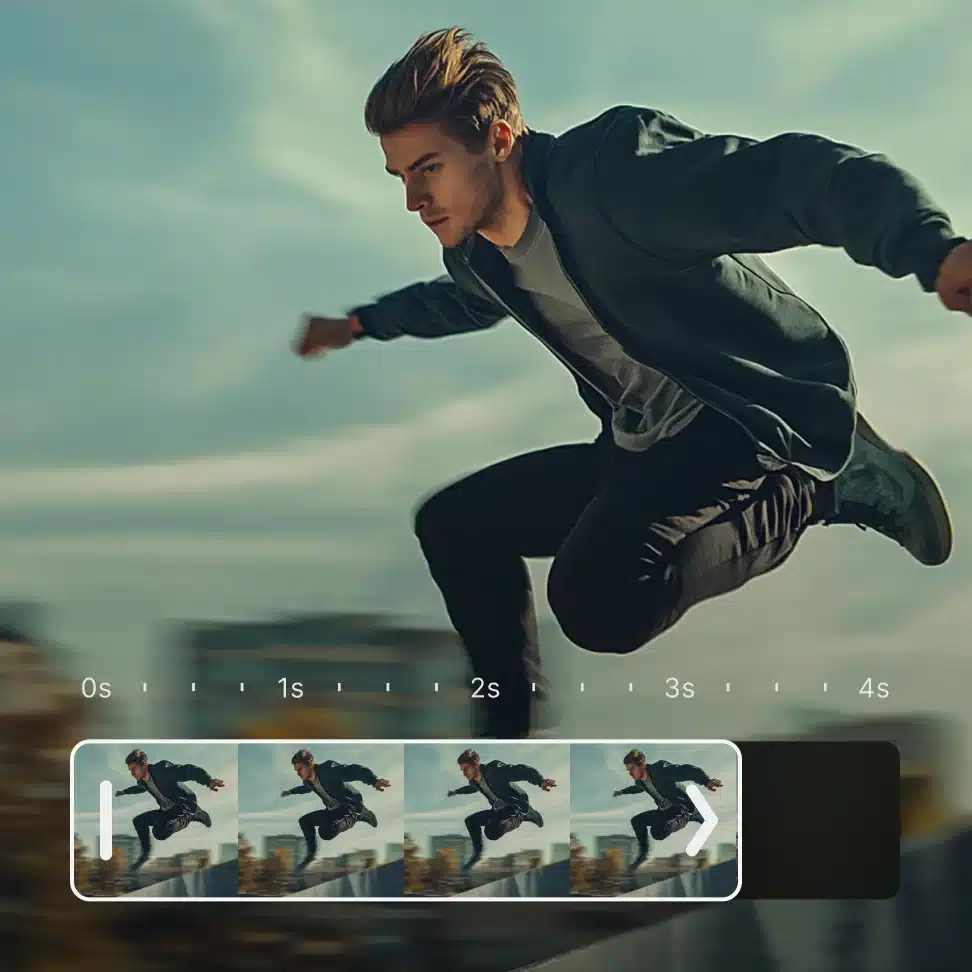


Whether you’re creating content for social media, preserving family memories, or building a professional portfolio, the right video editor can transform raw footage into captivating stories. The beauty of today’s editing software lies in its ability to deliver professional-grade results without requiring years of training or expensive equipment.
Anúncios
This comprehensive guide explores the best video editors available, helping you discover tools that match your skill level, creative vision, and budget. From intuitive mobile apps to powerful desktop solutions, we’ll navigate through features, benefits, and practical tips that will elevate your video editing game significantly. 🎬
Why Video Editing Matters in Today’s Digital Landscape
The explosion of video content across platforms like YouTube, Instagram, TikTok, and LinkedIn has created unprecedented demand for quality video editing skills. Audiences now expect polished, engaging content that captures attention within seconds and maintains interest throughout.
Anúncios
Professional-looking videos build credibility, increase engagement rates, and help messages resonate with viewers on emotional levels. Businesses leveraging well-edited videos see higher conversion rates, while creators with strong editing skills often develop loyal followings faster than those posting raw, unedited footage.
The competitive advantage of quality editing cannot be overstated. In crowded digital spaces, production value frequently determines whether content gets shared or scrolled past. Fortunately, achieving this quality no longer requires Hollywood budgets or film school degrees.

Understanding Different Types of Video Editors
Video editing software falls into several categories, each designed for specific needs and user preferences. Recognizing these distinctions helps you select tools that align with your goals and workflow requirements.
Mobile Video Editors: Power in Your Pocket 📱
Mobile editing apps have revolutionized content creation by putting professional tools directly into smartphones. These applications offer remarkable functionality despite their compact format, allowing creators to shoot, edit, and publish without ever touching a computer.
Modern mobile editors feature intuitive touch interfaces that feel natural and responsive. They include essential functions like trimming, transitions, text overlays, filters, and music integration. Many also support advanced features such as keyframe animation, chroma keying, and multi-layer editing.
The portability factor makes mobile editors perfect for on-the-go creators, journalists, travelers, and social media influencers who need to produce content quickly. Cloud synchronization in many apps enables seamless workflow continuation across devices.
Desktop Video Editing Software: Maximum Control
Desktop editors provide the most comprehensive toolsets and processing power for complex projects. These applications handle high-resolution footage, extensive effects libraries, and multi-track audio mixing with precision that mobile apps can’t match.
Professional editors prefer desktop software for commercial projects, feature films, documentaries, and any work requiring frame-perfect accuracy. The larger screen real estate facilitates detailed timeline work, color grading, and effect adjustments.
Both free and paid desktop options exist, ranging from beginner-friendly interfaces to industry-standard platforms used by Hollywood studios. The learning curve varies significantly, but most modern desktop editors offer tutorial resources and community support.
Online Video Editors: Browser-Based Convenience
Cloud-based editing platforms eliminate software installation requirements while offering collaborative features that traditional editors lack. These web applications work across operating systems and allow multiple team members to access projects simultaneously.
Online editors suit users who work from multiple locations or prefer not to consume local storage space. They typically operate on subscription models and require stable internet connections for optimal performance.
Essential Features Every Great Video Editor Should Have
Regardless of platform or price point, certain features separate exceptional editing tools from mediocre ones. Understanding these core capabilities helps you evaluate software effectively and avoid investing time in limiting platforms.
Intuitive Timeline Interface ⏱️
The timeline serves as your editing canvas where all creative decisions come together. A well-designed timeline allows smooth navigation, precise clip positioning, and clear visual representation of all project elements including video tracks, audio layers, effects, and transitions.
Look for editors offering magnetic timelines that snap clips together automatically, preventing accidental gaps. Zoom controls should enable both broad project overview and frame-level precision. Color-coded tracks help organize complex projects with multiple elements.
Comprehensive Format Support
Quality editors handle diverse file formats without requiring constant conversions. This flexibility saves time and preserves original video quality. Support for modern codecs like H.265 (HEVC), ProRes, and VP9 ensures compatibility with various cameras and recording devices.
Export options matter equally to import capabilities. Your editor should output videos optimized for different platforms—YouTube, Instagram, TikTok, Facebook—with preset configurations that automatically adjust resolution, aspect ratio, and compression settings.
Effects and Transition Libraries
Built-in effects libraries accelerate creative workflows by providing ready-made visual enhancements. Essential effects include color correction tools, filters, overlays, blur options, and speed controls for slow-motion or time-lapse effects.
Transition variety enables smooth scene changes that maintain viewer engagement. While simple cuts work for many situations, having access to fades, wipes, slides, and specialized transitions adds professional polish to productions.
Audio Editing Capabilities 🎵
Sound quality dramatically impacts perceived video quality. Robust audio tools should include volume adjustment, fade in/out controls, noise reduction, equalizers, and the ability to separate audio from video clips for independent manipulation.
Multi-track audio mixing lets you layer background music, sound effects, voiceovers, and original audio precisely. Advanced editors include audio visualization waveforms that simplify synchronization and beat-matching tasks.
Text and Title Tools
Text overlays communicate information, emphasize points, and add personality to videos. Comprehensive text tools offer font libraries, animation presets, custom motion paths, shadows, outlines, and background options that ensure readability against various video backgrounds.
Subtitle and caption functionality has become increasingly important for accessibility and social media consumption where many viewers watch without sound. Automated captioning tools using speech recognition save considerable time on longer videos.
Top Video Editors for Beginners: Starting Your Creative Journey
New editors benefit from software that balances simplicity with capability, offering gentle learning curves without sacrificing creative potential. These beginner-friendly options provide excellent foundations for developing editing skills.
Mobile Solutions for Quick Learning
Smartphone editing apps represent the most accessible entry point for beginners. Their touch-based interfaces feel familiar and intuitive, reducing intimidation factors that complex desktop software can create. Many incorporate tutorial systems that guide users through basic editing processes.
These applications typically feature automatic editing modes that analyze footage and create edited sequences with music, transitions, and effects applied automatically. While purists may dismiss this functionality, it provides valuable learning opportunities by demonstrating effective editing principles.
Starting with mobile editors builds confidence and teaches fundamental concepts like pacing, story structure, and visual composition. Skills developed on mobile platforms transfer readily to more advanced desktop software when users feel ready to progress.
User-Friendly Desktop Options
Several desktop editors prioritize accessibility without patronizing users or limiting creative possibilities. These programs feature clean interfaces, logical tool organization, and helpful onboarding experiences that explain features without overwhelming newcomers.
Drag-and-drop functionality simplifies clip arrangement, while visual effect previews show results before committing changes. Context-sensitive help systems provide information exactly when needed, reducing frustration and time spent searching through documentation.
Advanced Editing Tools for Professional Results 🎬
As skills develop, creators often seek more powerful tools offering greater control over every aspect of video production. Professional-grade editors provide extensive customization, advanced effects, and workflow efficiency features that justify steeper learning curves.
Industry-Standard Professional Software
Certain editing platforms have become industry standards used by film studios, television networks, and advertising agencies worldwide. These applications offer unparalleled feature sets, plugin ecosystems, and integration with other professional tools for color grading, visual effects, and audio post-production.
Professional software handles complex projects with hundreds of clips, multiple camera angles, and sophisticated effects without performance degradation. Proxy workflows enable smooth editing of high-resolution footage on standard computers, while background rendering maintains productivity.
The investment in professional software extends beyond subscription costs to include time spent mastering features. However, this investment pays dividends through increased creative control, faster workflows, and ability to tackle ambitious projects confidently.
Specialized Editing for Specific Niches
Some editors target specific content types or platforms with optimized features. Gaming content creators benefit from editors with built-in screen recording, webcam integration, and gaming-specific effects. Social media specialists appreciate templates sized for different platforms and trend-aware effect libraries.
Vloggers value editors with automatic color correction, audio enhancement, and quick export presets. Corporate video producers need branding tools, template systems, and collaboration features for team-based workflows.
Essential Editing Techniques That Elevate Your Videos
Understanding your tools matters, but knowing how to apply them strategically transforms good videos into exceptional ones. These fundamental techniques form the foundation of professional-quality editing regardless of software choice.
The Art of Pacing and Rhythm 🎼
Video pacing controls viewer engagement by varying tempo throughout your content. Action sequences benefit from quick cuts that build energy, while emotional moments require longer shots that allow feelings to develop naturally.
Music often dictates pacing decisions. Cutting on beat creates satisfying rhythmic flow that subconsciously pleases audiences. Even in dialogue-heavy content, background music cues can guide cut timing for maximum impact.
Analyzing favorite films or videos reveals how professionals manipulate pacing. Notice how shot duration changes between scenes, how tension builds through increasingly rapid cuts, and how calm moments provide necessary breathing space.
Color Correction vs. Color Grading
Color correction addresses technical issues, ensuring consistent exposure, white balance, and contrast across all footage. This foundational step creates neutral starting points before applying creative looks.
Color grading applies stylistic choices that establish mood and atmosphere. Warm tones create inviting, nostalgic feelings, while cool palettes suggest professionalism or melancholy. Consistent grading across projects builds recognizable visual identity.
Modern editors include powerful color tools accessible to non-specialists. LUT (Look-Up Table) presets provide professional-grade color treatments with single clicks, while manual controls offer unlimited creative possibilities for those willing to experiment.
Strategic Use of B-Roll Footage 📹
B-roll refers to supplementary footage that covers primary content, typically used to illustrate points, hide edits, or add visual interest. Travel videos benefit from establishing shots showing locations, while tutorial videos use close-ups demonstrating techniques.
Effective B-roll serves story purposes beyond simply covering awkward cuts. It provides context, emphasizes important details, and maintains visual variety that prevents viewer fatigue. Shooting extra B-roll during production pays dividends during editing.
Audio Mixing for Professional Polish
Balanced audio separates amateur productions from professional content. Dialogue should dominate when people speak, with background music reduced to avoid competition. Sound effects add realism and impact without overwhelming primary audio.
Room tone or ambient sound maintains natural feel during cuts. Dead silence between clips creates jarring discontinuity. Recording background ambiance during shoots provides invaluable material for smooth audio editing.
Optimizing Your Editing Workflow for Maximum Efficiency ⚡
Efficient workflows save time while improving creative output. Professional editors develop systematic approaches that streamline repetitive tasks and maintain organization throughout projects.
Pre-Production Planning
Great editing begins before recording starts. Shot lists, storyboards, and scripts guide filming toward specific editing visions. Understanding how footage will be assembled influences camera angles, shot duration, and coverage decisions.
Organized file management prevents frustration during editing. Consistent naming conventions, folder structures, and metadata tagging enable quick asset location. Time invested in organization returns multiplied productivity gains.
Keyboard Shortcuts and Custom Workspaces
Learning essential keyboard shortcuts dramatically accelerates editing speed. Common commands like cut, copy, paste, undo, and playback control become second nature with practice, eliminating constant mouse movements to menu items.
Customizing interface layouts optimizes screen space for specific tasks. Color grading benefits from maximized preview windows and color wheels, while detailed timeline work requires expanded track views and tool palettes.
Template and Preset Systems
Creating reusable templates for frequent project types saves setup time. Lower thirds, title sequences, outro screens, and transition packages can be saved as presets and dropped into new projects instantly.
Export presets ensure consistent delivery specifications across multiple projects. Rather than reconfiguring settings each time, saved presets guarantee correct resolution, bitrate, and format with single clicks.

Common Video Editing Mistakes to Avoid 🚫
Even experienced editors occasionally fall into traps that diminish video quality. Awareness of common pitfalls helps you recognize and correct issues before publishing.
Overusing Effects and Transitions
Beginners often apply excessive effects, believing more equals better. In reality, restraint creates sophistication. Every effect should serve clear purposes—establishing mood, directing attention, or supporting narrative flow.
Transition overuse particularly dates videos and distracts viewers. Simple cuts handle most scene changes effectively. Reserve special transitions for specific moments where they add genuine value.
Neglecting Audio Quality
Visual perfection cannot compensate for poor audio. Viewers tolerate mediocre visuals with excellent sound but quickly abandon great-looking videos with distracting audio issues. Invest time in audio editing equal to visual work.
Inconsistent Visual Style
Color grading, filter application, and effect usage should remain consistent throughout projects. Jarring stylistic shifts confuse audiences and appear unprofessional. Establish visual rules early and maintain them consistently.
Choosing the Right Editor for Your Specific Needs
No single editor suits everyone perfectly. Your ideal choice depends on multiple factors including skill level, content type, device preferences, and budget considerations. Honest self-assessment leads to better software selection.
Assessing Your Current Skill Level
Beginners benefit from simplified interfaces that build confidence without overwhelming options. Intermediate users need growth room beyond basic features. Advanced editors require professional toolsets that don’t limit creative vision.
Consider learning commitment willingness. Some editors demand significant time investment before proficiency, while others enable productive work within hours. Match software complexity to available learning time.
Platform and Hardware Considerations 💻
Mobile editors work best for creators producing content primarily for social media or those preferring portable workflows. Desktop software suits users tackling longer-form content or requiring advanced features unavailable on mobile platforms.
Hardware capabilities influence software selection. Powerful computers handle resource-intensive professional editors smoothly, while older machines perform better with optimized lightweight alternatives. Cloud-based editors offer performance regardless of local hardware but require reliable internet.
Budget Reality Check
Excellent free editors exist across all platforms, proving that quality editing doesn’t require financial investment. However, paid software often provides superior support, regular updates, and advanced features that accelerate professional work.
Subscription models spread costs over time while ensuring access to latest features. Perpetual licenses require larger upfront investments but avoid ongoing payments. Evaluate total ownership cost over expected usage period when comparing options.
Future Trends in Video Editing Technology 🚀
Video editing continues evolving rapidly as artificial intelligence, cloud computing, and hardware advances unlock new creative possibilities. Understanding emerging trends helps you prepare for future opportunities.
AI-Powered Editing Assistance
Artificial intelligence increasingly handles tedious tasks like color matching, audio cleanup, and even rough cut assembly. Machine learning algorithms analyze footage to identify best moments, suggest cuts, and apply appropriate effects automatically.
These tools augment rather than replace human creativity, handling technical heavy lifting while freeing editors to focus on storytelling and artistic decisions. As AI capabilities expand, editing becomes more accessible without sacrificing quality.
Real-Time Collaboration Features
Cloud-based workflows enable multiple editors, directors, and clients to review and comment on projects simultaneously from different locations. Version control prevents conflicts while maintaining complete editing history.
Remote collaboration has become essential for distributed teams and global projects. Editors embracing these workflows gain competitive advantages through faster turnaround times and improved client communication.
Immersive Format Support
360-degree video, virtual reality content, and augmented reality experiences require specialized editing approaches. Forward-thinking editors exploring these formats position themselves for emerging opportunities as immersive content grows mainstream.
Transform Your Videos Starting Today 🎥
The journey from video editing novice to confident creator begins with single first steps. Modern editing tools remove traditional barriers, making professional-quality video production accessible to anyone willing to learn and experiment.
Start with user-friendly software matching your current skill level and content goals. Invest time learning fundamentals rather than jumping immediately to advanced techniques. Practice regularly on personal projects where mistakes carry no consequences.
Study videos you admire, analyzing editing choices and techniques. Online tutorials, courses, and communities provide endless learning resources. Join forums where editors share knowledge, troubleshoot problems, and celebrate successes together.
Remember that every professional editor once knew nothing about cutting clips or applying effects. Skills develop through consistent practice and willingness to push beyond comfort zones. Your unique creative voice emerges as technical proficiency grows.
The best video editor is ultimately the one you’ll actually use consistently. Don’t let perfect become the enemy of good—start creating with available tools rather than endlessly researching options. Real learning happens through doing, not just reading or watching.
Download a recommended editor today, import some footage, and experiment freely. Make mistakes, try different approaches, and gradually build your editing intuition. Your creative vision deserves to be shared, and the right tools make that sharing easier than ever before. The world awaits your stories—start editing and show them what you can create! ✨
