

Anúncios
Unlock the Power of Siri’s Voice Commands
Discover Siri Now
The way we interact with technology has fundamentally changed over the past decade. Gone are the days when typing was the only way to communicate with our devices. Today, voice assistants have revolutionized how we access information, control smart devices, and manage our daily tasks. Among these digital companions, Siri stands out as Apple’s pioneering intelligent voice command system, transforming iPhones, iPads, Macs, and other Apple devices into responsive, conversational partners.
Whether you’re a long-time Apple user or just discovering the ecosystem, understanding Siri’s comprehensive functionality can dramatically improve your productivity and device experience. From simple tasks like setting alarms to complex operations involving multiple apps and services, Siri has evolved into a sophisticated AI assistant that learns your preferences and adapts to your lifestyle. Let’s explore the remarkable capabilities that make Siri an indispensable tool for millions worldwide. 🎯
Anúncios
Understanding Siri’s Core Intelligence System
At its foundation, Siri operates on advanced machine learning algorithms and natural language processing technology. When you activate Siri by saying “Hey Siri” or pressing the side button, your device immediately begins analyzing your voice patterns, speech characteristics, and contextual information to understand your request accurately.
The intelligence behind Siri isn’t just about recognizing words—it’s about comprehending intent. Apple’s neural engine processes your commands locally on your device whenever possible, ensuring privacy while delivering lightning-fast responses. This on-device processing means many of your interactions never leave your iPhone, maintaining the security and confidentiality that Apple users value.
Anúncios
What truly sets Siri apart is its continuous learning capability. The more you use Siri, the better it becomes at predicting your needs, understanding your accent, and recognizing the people, places, and things that matter most to you. This personalization happens without compromising your privacy, as Apple employs differential privacy techniques to improve Siri’s performance across all users without identifying individual behavior patterns.
Voice Recognition and Natural Language Processing
Siri’s voice recognition technology has advanced significantly since its 2011 debut. Today’s version can understand multiple languages, dialects, and accents with impressive accuracy. The system can process commands in over 20 languages and even handle bilingual requests, switching seamlessly between languages mid-conversation. 🗣️
The natural language processing component allows you to speak to Siri conversationally rather than using rigid command structures. You don’t need to memorize specific phrases or keywords—simply ask your question as you would to a human assistant. Siri understands context, references to previous queries, and can clarify ambiguous requests by asking follow-up questions.
Essential Daily Commands That Transform Your Routine
The beauty of Siri lies in how it simplifies everyday tasks that would otherwise require multiple taps and swipes through various apps. These fundamental commands form the backbone of Siri’s utility and are often the most frequently used features.
Communication made effortless: Siri excels at helping you stay connected without touching your device. You can dictate text messages, initiate phone calls, send emails, and even start FaceTime conversations using simple voice commands. For example, saying “Text Sarah I’ll be 10 minutes late” immediately opens a message to Sarah with your dictated content, waiting for your confirmation before sending.
The system is intelligent enough to handle ambiguous contacts. If you have multiple contacts named “John,” Siri will ask which one you mean, presenting options like “John from work” or “John Smith” based on your contact organization. This contextual awareness extends to relationships you’ve defined—tell Siri once who your mother is, and forever after, “Call Mom” will work perfectly.
Time Management and Reminders
Siri functions as a comprehensive personal assistant for scheduling and time management. Setting alarms, timers, and reminders becomes instantaneous with voice commands. Beyond basic timer functions, Siri can create location-based reminders that trigger when you arrive or leave specific places. 📅
- Calendar integration: Schedule appointments, check your availability, and reschedule meetings
- Smart reminders: Set context-aware reminders based on time, location, or when messaging someone
- Multiple timers: Run several named timers simultaneously for cooking or productivity techniques
- World clock queries: Instantly check time zones without opening any apps
The reminder functionality particularly shines when combined with Siri’s contextual understanding. You can say “Remind me about this when I get home,” and Siri will create a reminder linked to your home location, with context from what you were viewing on your screen at the time.
Advanced Siri Shortcuts and Automation
One of Siri’s most powerful yet underutilized features is the Shortcuts functionality. This system allows you to create custom voice commands that trigger complex sequences of actions across multiple apps. What once required dozens of taps can now happen with a single spoken phrase.
Shortcuts can be as simple or sophisticated as your needs demand. A basic shortcut might combine turning on Do Not Disturb with opening your meditation app and dimming your screen. An advanced shortcut could automatically log your work hours, send a status update to your team, adjust your smart home lighting, and start your commute playlist—all triggered by saying “Heading home.” ✨
Creating Custom Voice Commands
The Shortcuts app provides an intuitive interface for building automation without coding knowledge. You can select from hundreds of pre-built actions from Apple and third-party apps, arranging them in logical sequences. Each shortcut can be assigned a custom phrase that Siri recognizes, making your iPhone respond to commands unique to your lifestyle.
Third-party app developers can expose their app functions to Siri through SiriKit, meaning your favorite apps can participate in shortcuts and voice commands. This ecosystem approach means Siri’s capabilities expand as more developers integrate voice control into their applications.
Smart Home Control Through Voice Commands
For those invested in the smart home ecosystem, Siri serves as the central voice control hub for all HomeKit-compatible devices. The convenience of voice-controlled home automation cannot be overstated—adjusting lighting, temperature, locks, cameras, and entertainment systems without moving from your spot transforms daily living. 🏠
Siri’s home control extends beyond individual device commands. You can create scenes that adjust multiple devices simultaneously. Saying “Good morning” might open your blinds, start your coffee maker, adjust the thermostat, and read your calendar for the day. Evening scenes can dim lights, lock doors, and set security systems with a single command.
The spatial awareness of HomePod and HomePod mini means Siri can control room-specific devices. Ask Siri to “turn off the lights” while in your bedroom, and only those lights respond, without affecting the rest of your home. This contextual intelligence makes smart home interaction feel natural and intuitive.
Security and Privacy in Home Automation
Apple’s commitment to privacy extends to HomeKit and Siri home control. All communication between Siri and your smart home devices is encrypted end-to-end. Security cameras using HomeKit Secure Video process footage locally on your home hub, with encrypted cloud storage that even Apple cannot access. This privacy-first approach differentiates Siri’s smart home control from competing platforms.
Entertainment and Media Control Features
Siri transforms how you consume media across Apple’s ecosystem. Voice control for music, podcasts, movies, and TV shows eliminates the need to browse through endless menus and search interfaces. The integration with Apple Music is particularly seamless, understanding natural requests like “Play something upbeat” or “What’s this song?” 🎵
Beyond simple playback controls, Siri can create personalized stations based on genres, moods, or specific artists. The system learns your preferences over time, improving recommendations and understanding vague requests like “Play music I’d like” by analyzing your listening history.
For podcast enthusiasts, Siri can subscribe to shows, play the latest episodes, skip forward in 15-second increments, and bookmark moments you want to return to later. The hands-free nature of these controls makes Siri ideal for listening while driving, exercising, or working with your hands.
Multi-Room Audio and AirPlay Control
With multiple HomePods or AirPlay 2-compatible speakers throughout your home, Siri becomes a whole-home audio controller. You can specify which rooms should play music, transfer audio between spaces as you move through your home, or synchronize playback across all speakers for a unified listening experience.
Navigation and Travel Assistance
Siri’s integration with Apple Maps provides comprehensive navigation assistance that begins the moment you think about going somewhere. Voice-activated directions mean you never need to take your eyes off the road or your hands off the wheel, significantly improving driving safety. 🚗
The travel assistance extends beyond simple turn-by-turn directions. Siri can find parking near your destination, warn you when it’s time to leave based on current traffic conditions, and share your estimated arrival time with contacts. The proactive intelligence means Siri often suggests departure times and routes before you even ask.
For public transportation users in supported cities, Siri provides transit schedules, platform information, and multi-modal journey planning that combines walking, buses, trains, and rideshare services into optimal routes. Real-time updates alert you to delays or service changes affecting your commute.
Location-Based Recommendations
When traveling or exploring unfamiliar areas, Siri serves as a knowledgeable local guide. Ask for restaurant recommendations, and Siri considers factors like your dietary preferences, price range, current location, and review ratings to suggest appropriate options. Similar intelligence applies to finding hotels, gas stations, coffee shops, and entertainment venues.
Information Retrieval and Web Searches
Siri functions as your personal research assistant, capable of answering questions spanning weather forecasts, sports scores, stock prices, unit conversions, calculations, and general knowledge queries. The integration with various data sources means you receive accurate, up-to-date information without opening a browser. 📚
For complex questions Siri cannot answer directly, the assistant performs intelligent web searches, presenting relevant results from trusted sources. The recent integration of advanced language models has improved Siri’s ability to synthesize information and provide concise summaries rather than simply listing search results.
Specialized queries leverage partnerships with services like Wolfram Alpha for computational questions, Yelp for business information, and Apple’s own knowledge graph for factual data. This multi-source approach ensures you receive the most relevant and reliable information for each query type.
Accessibility Features That Empower Everyone
Siri’s voice command functionality represents more than convenience—for users with mobility, vision, or other disabilities, it provides essential accessibility that makes technology genuinely usable. Apple’s commitment to accessibility through Siri demonstrates how voice interfaces can be genuinely inclusive. ♿
Type to Siri allows users who cannot or prefer not to speak to interact with the assistant through text input while retaining all functionality. This accommodation proves valuable in quiet environments, for users with speech difficulties, or in situations where voice commands would be inappropriate.
VoiceOver integration means Siri can control screen reading functions, navigate interfaces, and describe on-screen content for blind and low-vision users. The combination of voice input and auditory output creates a completely eyes-free interaction model for iPhone operation.
Voice Control for Complete Hands-Free Operation
Beyond Siri, Apple’s Voice Control feature provides comprehensive hands-free operation of iOS devices using voice commands for every interface element. This accessibility feature works alongside Siri to ensure users with limited mobility can access every function their device offers, from opening apps to editing text to complex gestures.
Privacy and On-Device Processing
Unlike some competing voice assistants, Siri prioritizes privacy through on-device processing whenever possible. Many requests never leave your iPhone, iPad, or Mac, being processed entirely by the device’s neural engine. This approach dramatically reduces privacy concerns while improving response times. 🔒
When queries do require server processing, Apple employs a random identifier rather than associating requests with your Apple ID. This anonymization means even Apple cannot build a profile of your Siri usage patterns. The company doesn’t sell user data to advertisers or third parties—a fundamental difference from ad-supported voice assistant platforms.
Audio recordings of your Siri requests are not stored by default. If you opt into helping improve Siri, any audio samples are stored without identifiable information and reviewed only by Apple employees under strict confidentiality agreements, never by contractors or third parties.
Multi-Device Continuity and Handoff
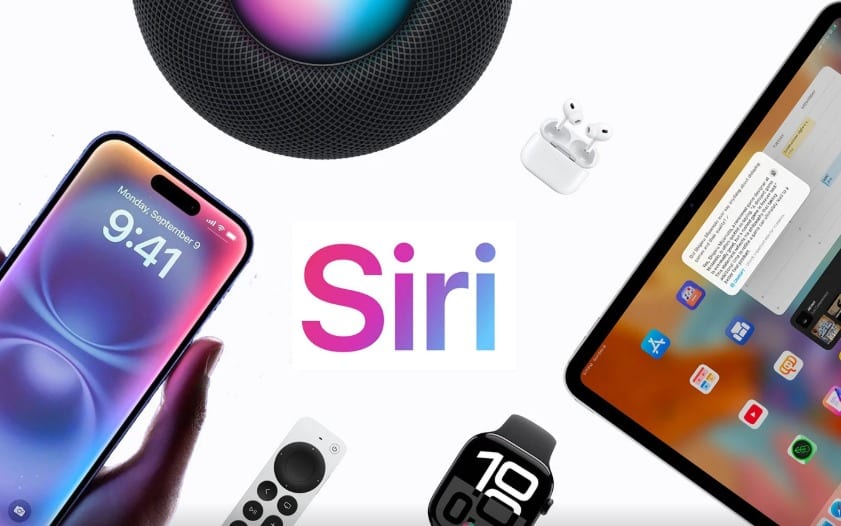
Siri’s functionality extends across your entire Apple ecosystem with remarkable continuity. Start a task on your iPhone and continue on your Mac. Ask your HomePod a question and have the detailed results appear on your iPhone. This seamless integration creates a cohesive experience where your devices work together rather than in isolation. 📱💻⌚
The Handoff feature allows Siri interactions to transfer between devices intelligently. Ask your Apple Watch for directions while out walking, and those directions automatically appear on your iPhone when you get in your car. This contextual awareness and device coordination showcase Apple’s ecosystem advantage.
Siri learns your routines across devices, making proactive suggestions based on usage patterns. If you typically listen to podcasts during your morning run, your Apple Watch might suggest resuming playback when you put in your AirPods and start moving. These intelligent predictions make technology feel anticipatory rather than reactive.
Language Translation and Communication
Siri’s translation capabilities have expanded significantly, now offering real-time translation for conversations in multiple languages. This functionality proves invaluable when traveling or communicating with non-native speakers, breaking down language barriers through technology. 🌍
The translate feature understands context and idiomatic expressions rather than providing literal word-for-word translations. This nuanced approach produces more natural, culturally appropriate translations that convey intended meaning effectively. Siri can also teach pronunciation, helping you learn basic phrases in foreign languages.
Future Developments and Evolving Capabilities
Siri continues evolving with each iOS update, incorporating new capabilities and improving existing functions. Recent enhancements include better conversational context retention, expanded language support, improved voice recognition accuracy, and deeper third-party app integration.
The integration of advanced machine learning models promises to make Siri even more capable at understanding complex requests, maintaining multi-turn conversations, and providing more helpful, contextual responses. As Apple’s silicon becomes more powerful, more processing can happen on-device, further enhancing privacy while expanding functionality.
The expanding smart home ecosystem will continue enhancing Siri’s utility as a central control point for connected devices. Matter protocol support means Siri will soon control an even broader range of smart home devices, regardless of manufacturer, through a unified voice interface. 🚀
For users committed to the Apple ecosystem, investing time in learning Siri’s capabilities pays substantial dividends in productivity, accessibility, and everyday convenience. The intelligent voice assistant has evolved from a novel feature into an essential tool that fundamentally changes how we interact with technology. By understanding and utilizing Siri’s comprehensive functionality, you unlock the full potential of your Apple devices, transforming them from powerful tools into intuitive partners that anticipate your needs and simplify your digital life.
